The Large Update
VR Progress
VR is going to be a thing in BadLads. Here’s a quick preview; VR isn’t ready for this update.
VR is going to be a part of the base game and you’ll be able to play with regular players and vice versa. VR was announced in the last Update Tease, which this devblog is replacing. To reiterate the last post:
The VR experience of BadLads is not a separate game! It’s a hybrid situation, desktop players can play with VR players, and VR players can play with desktop players. You’ll be able to have meaningful interactions with everyone.
VR comes with VR-specific changes, VR options menus, custom VR movement types, and VR inventory management.
The VR version required some major work in terms of getting the game to run at a stable 144 frames on my VR system. The game is running on a completely different rendering path called “Forward shading” and the engine has been gutted to run the game as well as possible.
The best side effect of running in forward shading is that you get infinite light distance in VR, as you can see in the videos above.
Base Building
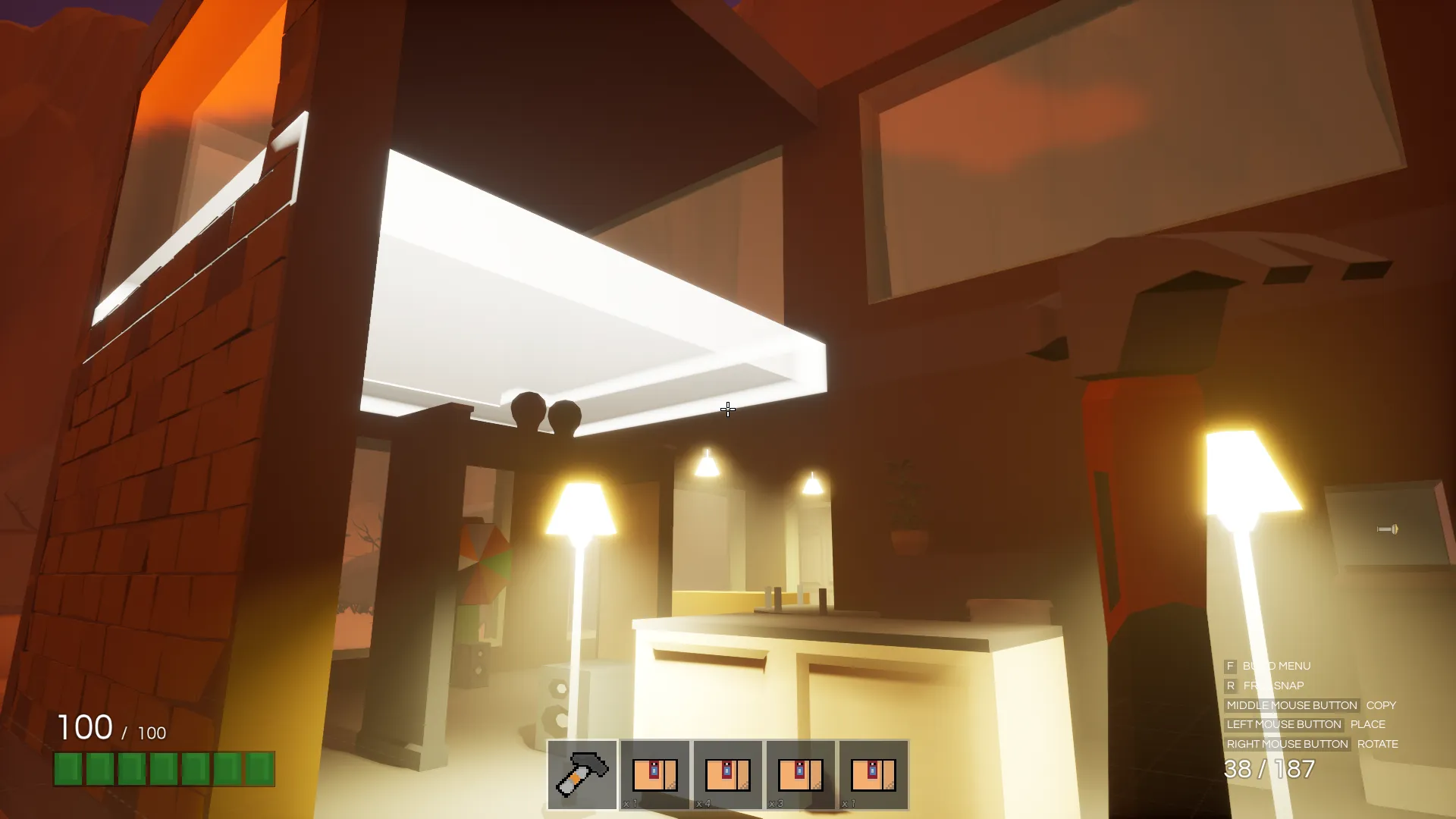
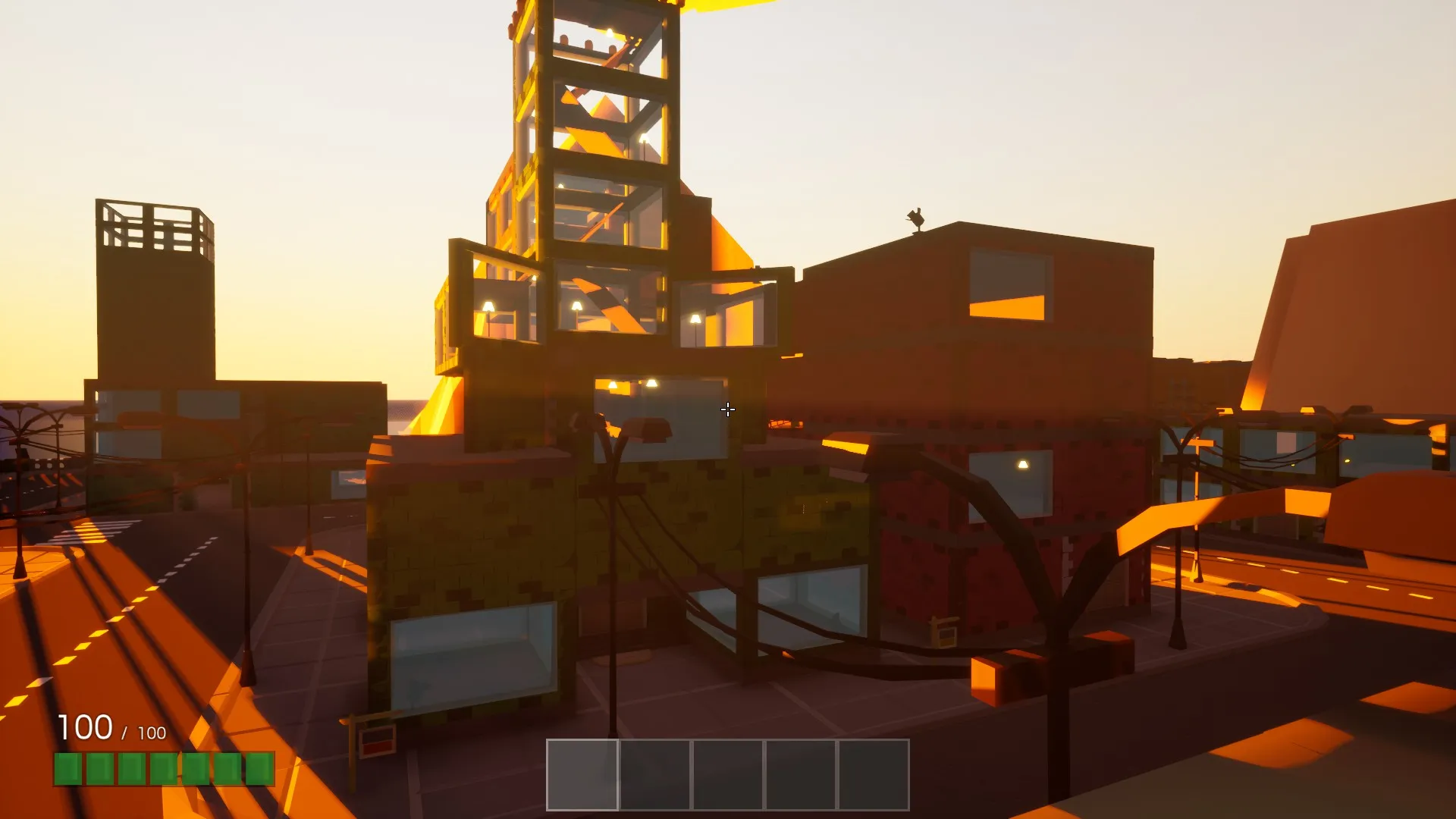
Base Building is a thing now. Find an available Build Lot and rent it out to start building. You can use the new base buildables in any rented estate; they are not exclusive to Build Lots.
New Buildables
- Ceiling Light. A light source that can be placed on the ceiling.
- Fancy Spot Light. A Hollywood-esque spot light that’ll make your estates pretty.
- Standing Lamp. A light source that can be placed on the floor.
Developer commentary: Adding buildable lights was an interesting problem. The game’s lighting is completely dynamic and as you may know, dynamic lights kill your framerate. As a developer you can get around this issue by being smart with light placement, adjusting light cull distances, and tweaking them to fit specific scenarios. However, buildable lights mean anyone can place them anywhere, and as much as they want. This is a big issue; performance has always been king and always will be. That’s where the new light culling algorithm comes in, used exclusively for buildable lights. The algorithm prioritizes buildable lights that it thinks should be high quality — in BadLads this is called a significance level. Each light has a significance level that gets assigned by the new culling algorithm that takes light distance, radius, visibility, and whether it was recently shown into account and gives it a significance level. The result is being able to place hundreds of lights with no performance impact, while still looking as good as possible.
- Doors. Keep out those nasty burglars. Automatically hooks into the estate and becomes leasable/rentable just like any other door. Doors can snap into inner wall frames.
- Windowed Brick Wall.
- Brick Wall.
- Brick Wall with inner wall frame.
- Foundation.
- Foundation Steps.
- Impromptu Wall Buildable.
- Long Impromptu Wall Buildable.
Building Features
- Base Buildables will inherit their color from the estate you are building on, making every building look unique.
- Free Snap - Hold R to free snap, mouse wheel for small rotation adjustments.
- Smart Snapping - Automatically snap walls and foundations to their appropriate locations depending on where you are aiming.
- Build Border - Displays a waving line around the Build Lot’s border to let you know how far you can build.
- Build Copy - Click the mouse wheel to copy the buildable you are looking at, it will buy said buildable if you don’t own it.
- Cosmetic Buildable Destruction. After a buildable is removed/destroyed, it will shatter into hundreds of tiny pieces. If you don’t want cosmetic destruction, run the game with a
-nodestructionlaunch parameter.
Building Changes
- Changed: You can now stack buildables on top of each other, as well as place them on any surface.
- Changed: Changed non-free snap rotation to an increment of 45 degrees from 90.
- Changed: You can now stand outside of your Build Border and keep building, attaching that pesky piece is now possible.
- Changed: Buildable Counters and Impromptu Walls are now smart snapped by default.
- Changed: The build selection menu now remembers your scroll offset, making it less tedious to use.
Base Buildables change their color depending on which property they are on. This is a temporary solution to make buildings look unique. In the future, buildables will be paintable.
Contracts
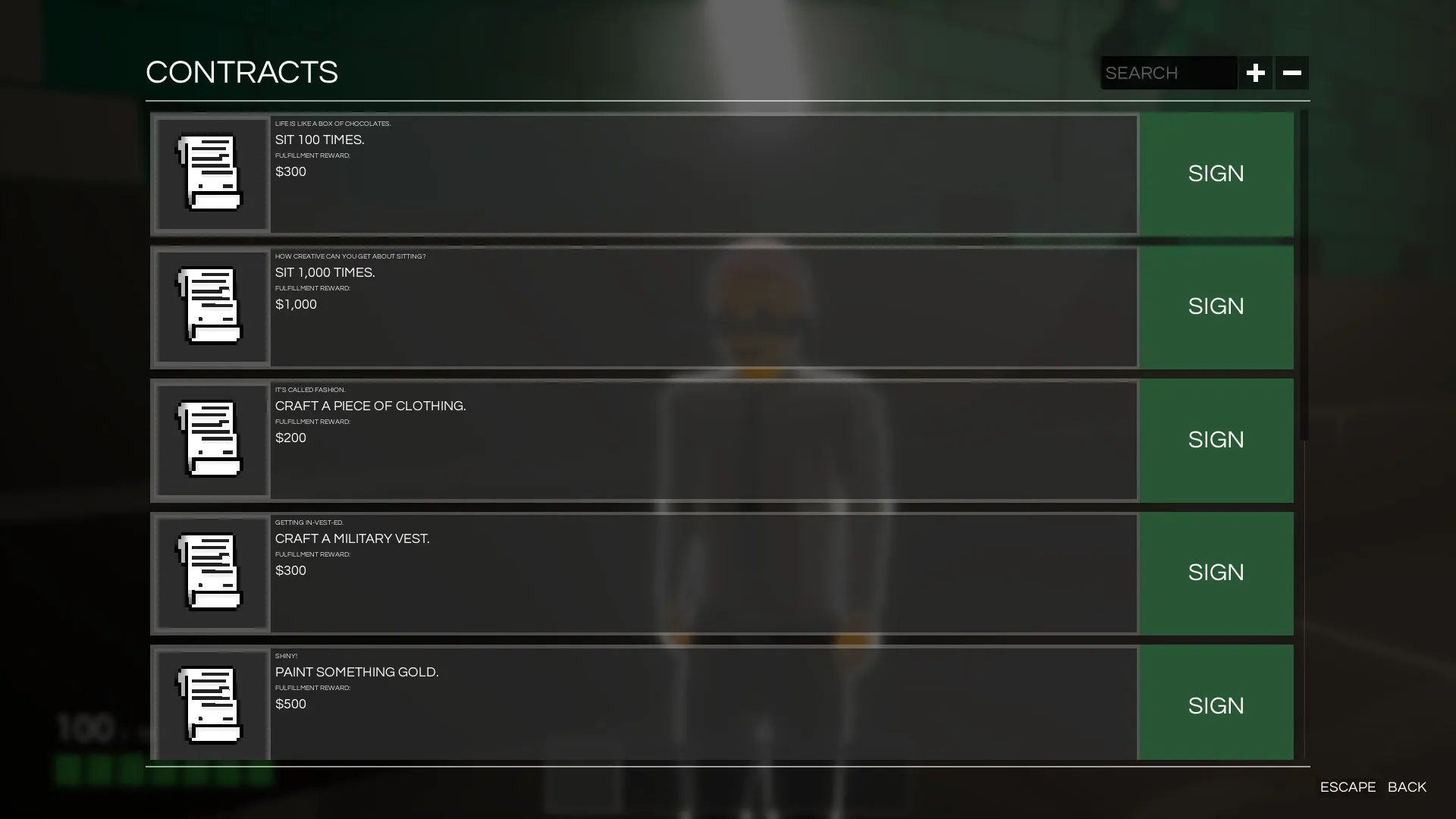
Contracts are goals that players can fulfill to earn some money. Contracts vary based on your current job; some can be fulfilled many times, some can only be fulfilled once. Find a Contractor NPC near you and sign some! Your active contracts can be viewed by opening your inventory menu and clicking on the Contracts button, or just press F1.
Crafting and Inventory Size
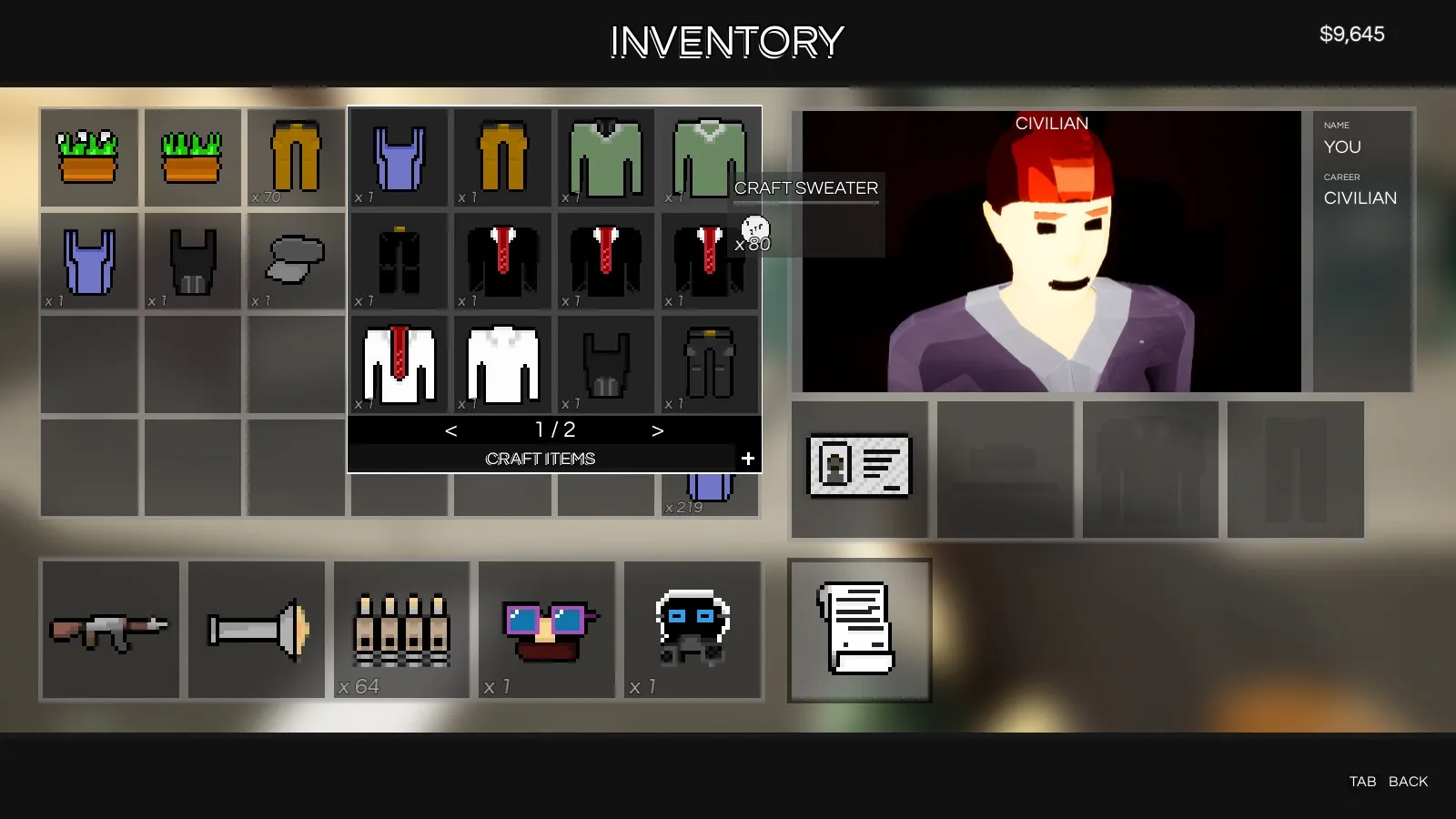
You can now craft through the inventory menu. Right-click on an empty inventory slot and a crafting menu will appear. You’ll see all the craftable recipes right in front of you. If you’d like to see everything you can craft, click on the little plus symbol on the lower right corner of the crafting menu. This will toggle into a special mode that will let you see every single craftable item in the game.
The inventory size has been increased.
Plugins
Server Plugins are a thing now. You can get started here: https://github.com/ChemicalHeadsStudios/as-badlads
Plugins go into the BadLadsPlugins folder in your server or your local game save directory; you can even use them in sandbox mode without a server.
They support hot reloading out of the box, so if you are developing a plugin it’ll be completely seamless. This is a game changer for BadLads — letting the players create their own rules/worlds within BadLads expands the roleplay experience entirely.
The plugins use a new exciting technology called WebAssembly. WebAssembly is exciting because it isn’t constrained to a single programming language like traditional game plugins; you can use any programming language that can compile to WASM (WebAssembly Binary Module).
New Empty Map
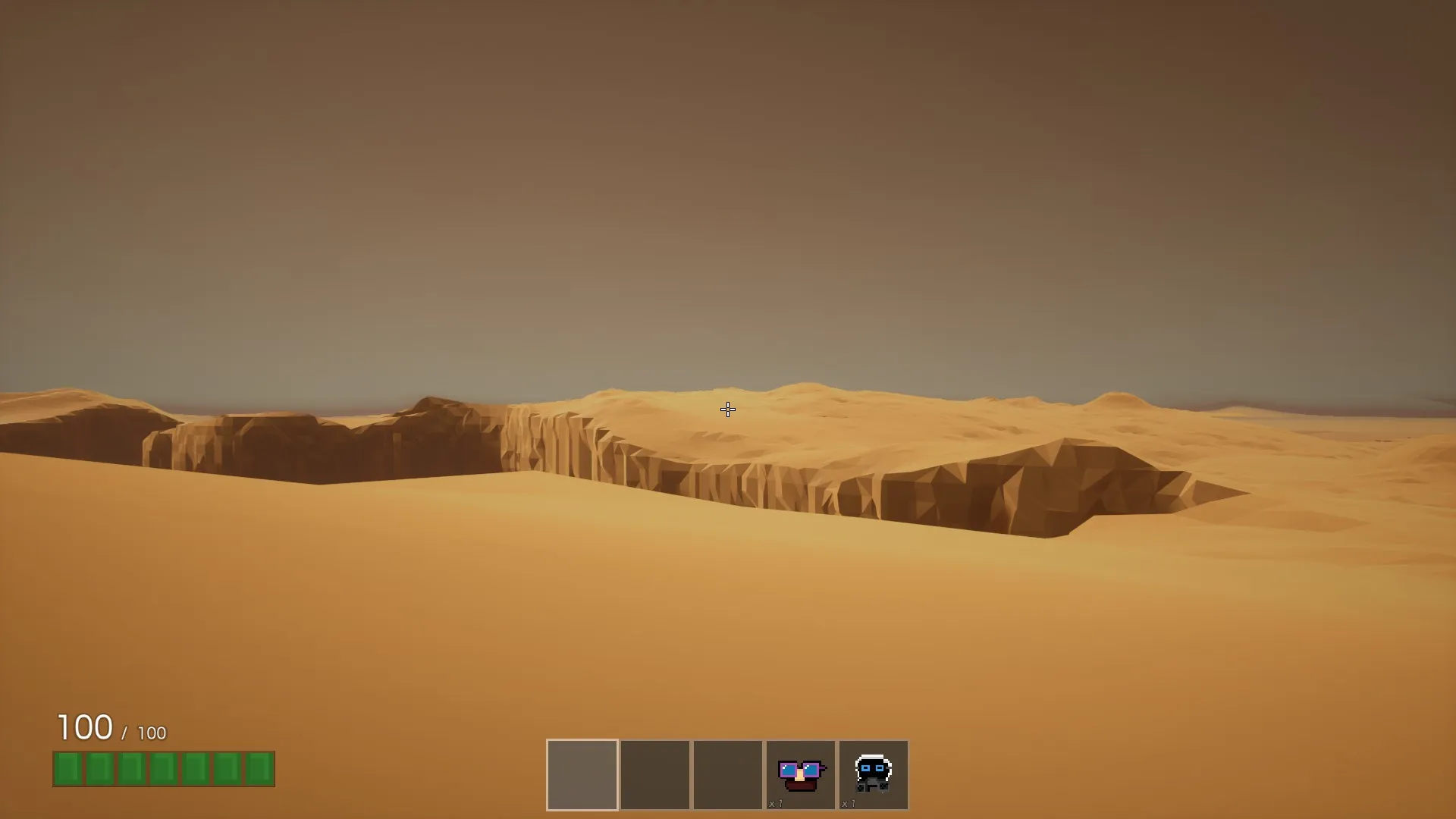
Cliff is a new empty map that players can use for whatever they want. This map is a prelude to something discussed at the end of this devblog. The map is absolutely ginormous, filled with huge bottomless pits that you best take care not to fall in. Features fancy desert-like haze and shifting sand, making the experience really FEEL like a desert. The sand effects also transfer over to Vegas, making the sand look much better all around. SAND!
Visual Revamp
The game has received a huge visual makeover.
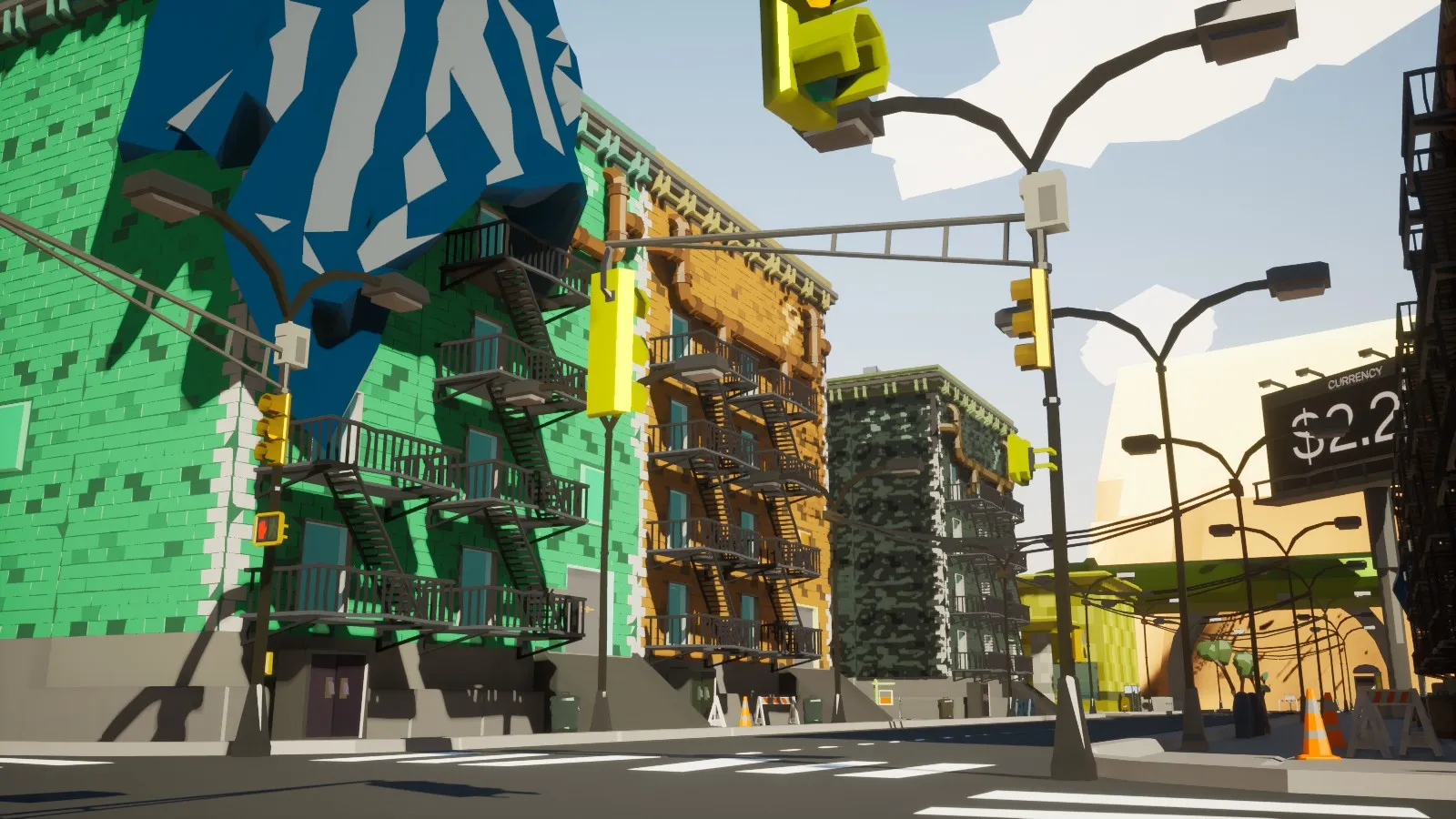
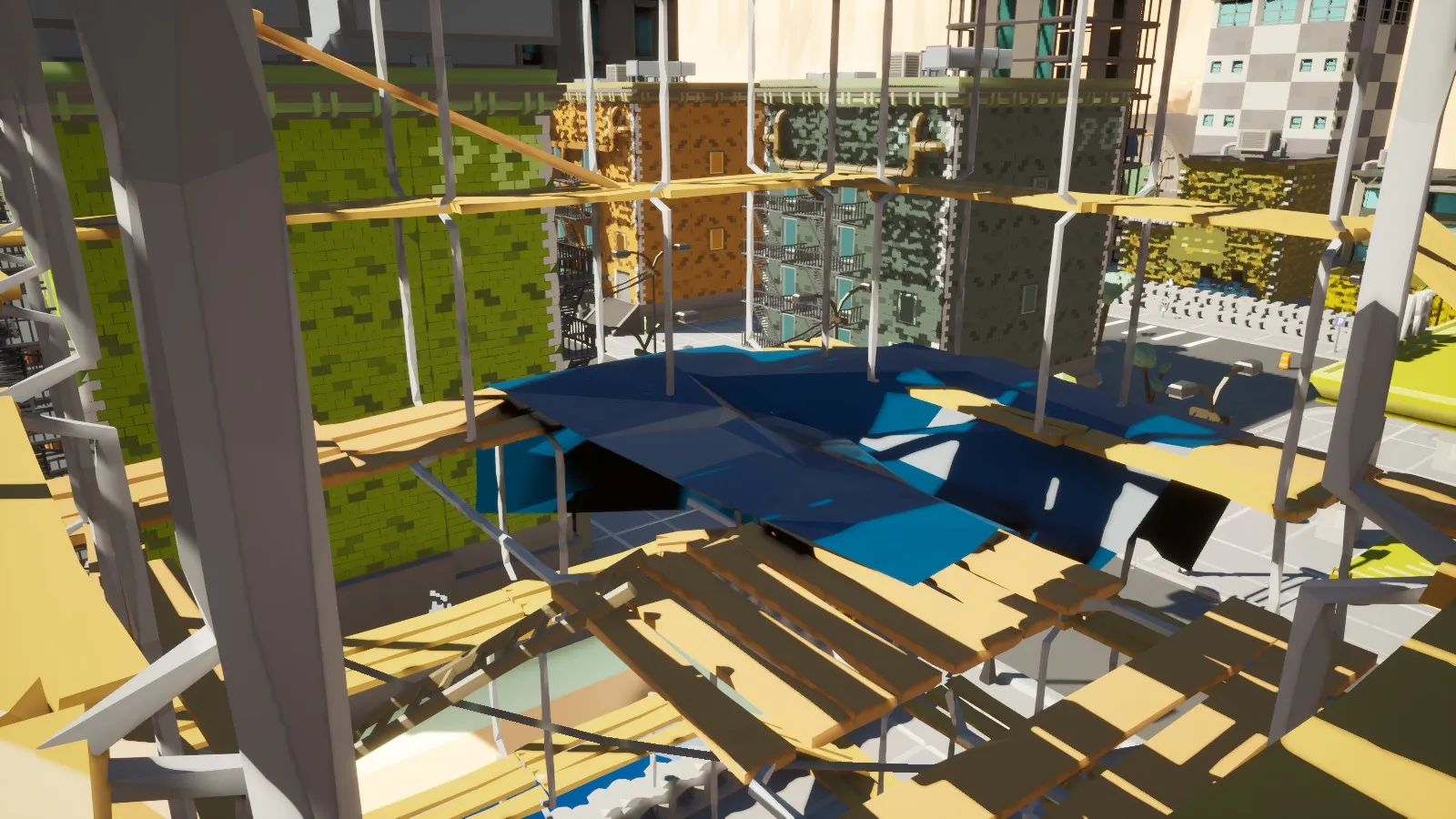
A lot of geometry has been completely redone in a new style.
Procedural Progress
Procedural isn’t ready yet, work continues. Here are some screenshots.
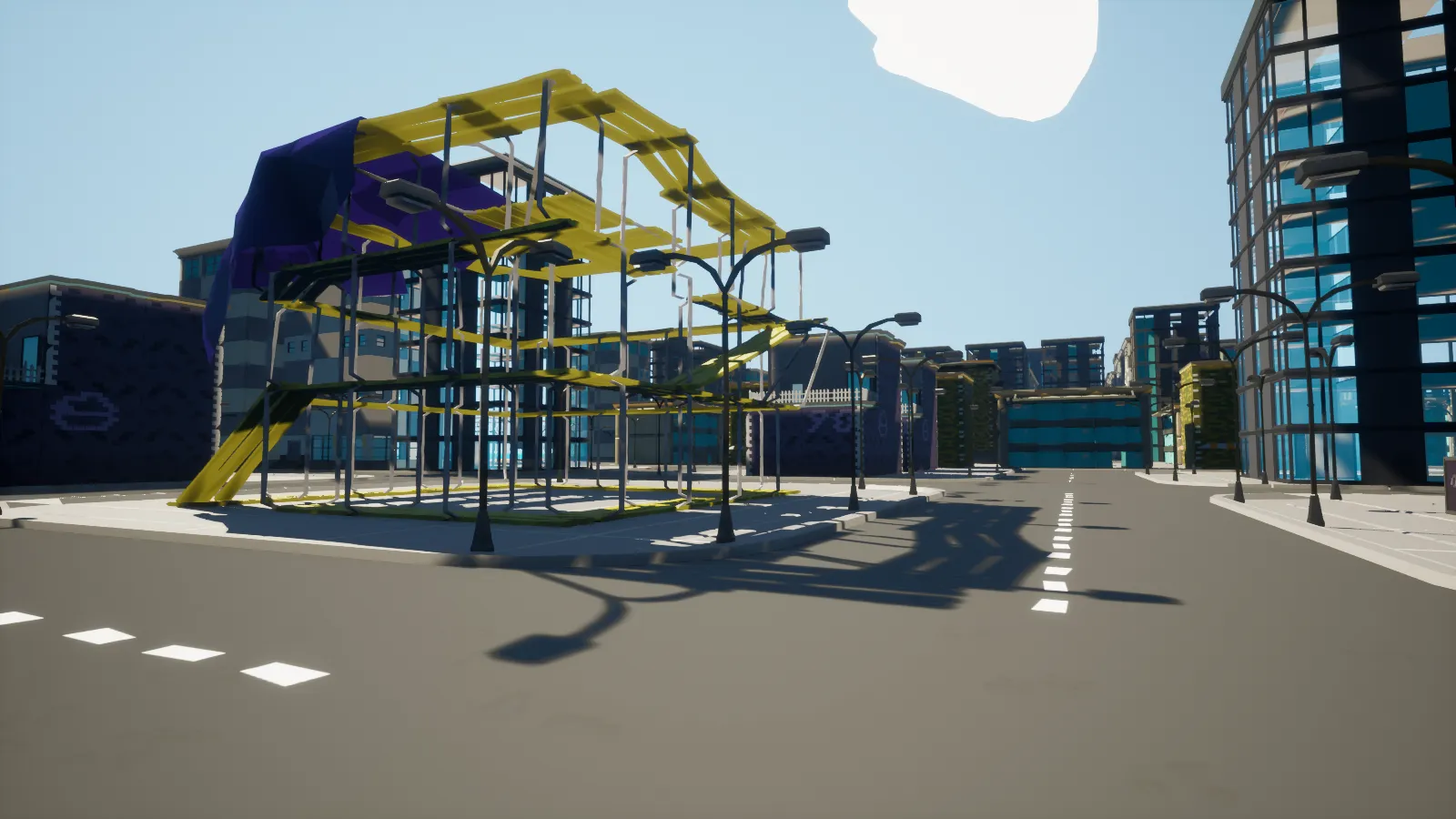
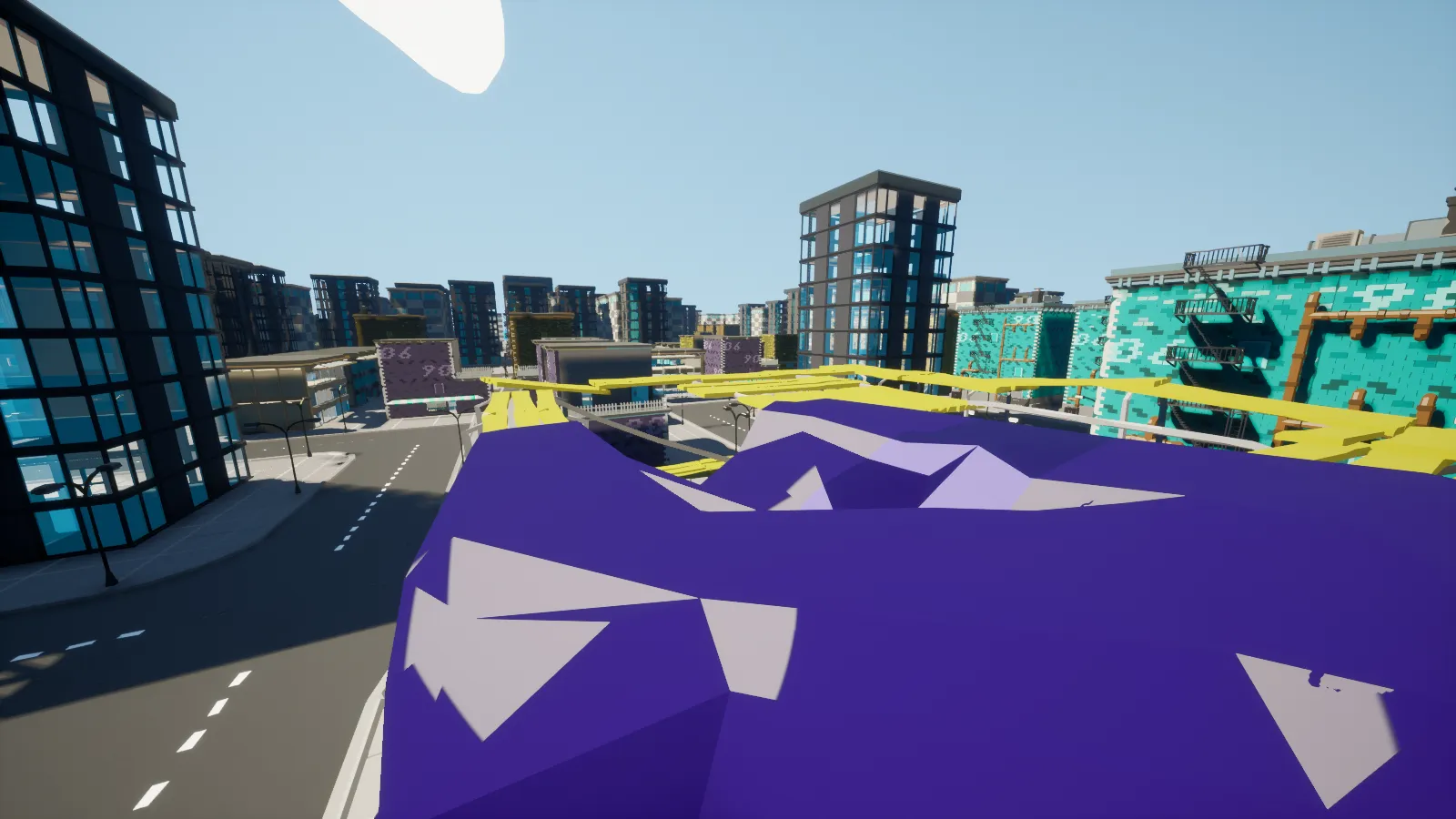
A lot of work has gone into procedural: dynamic building streaming, performance optimizations to allow for hundreds of thousands of unique objects. The game automatically loads and unloads large buildings right under your nose. Keeping object count low is preferable, and loading in all the buildings would result in a horrendous experience. This, coupled with the new PLOD system, ensures that buildings are visible from great distances and don’t just pop into existence when loaded.
Current Procedural development goals:
- Build Lots are coming to procedural.
- Varied building configurations and styles.
- More visual clutter.
You can test out procedural right now: main menu -> sandbox -> procedural test.
Identity Cards
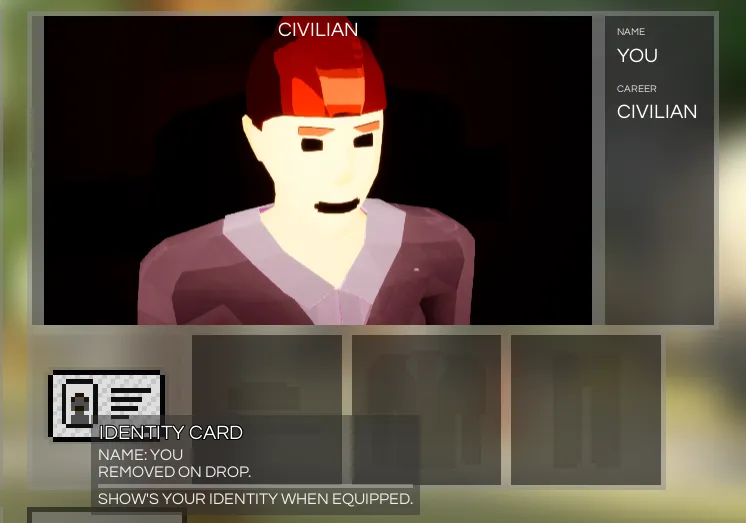
Identity cards are a special per-player item. Having your identity card equipped will let others see your in-game name. Their purpose is going to be expanded in the future — players will be able to claim your identity card and steal your in-game identity.
Cotton and Trash
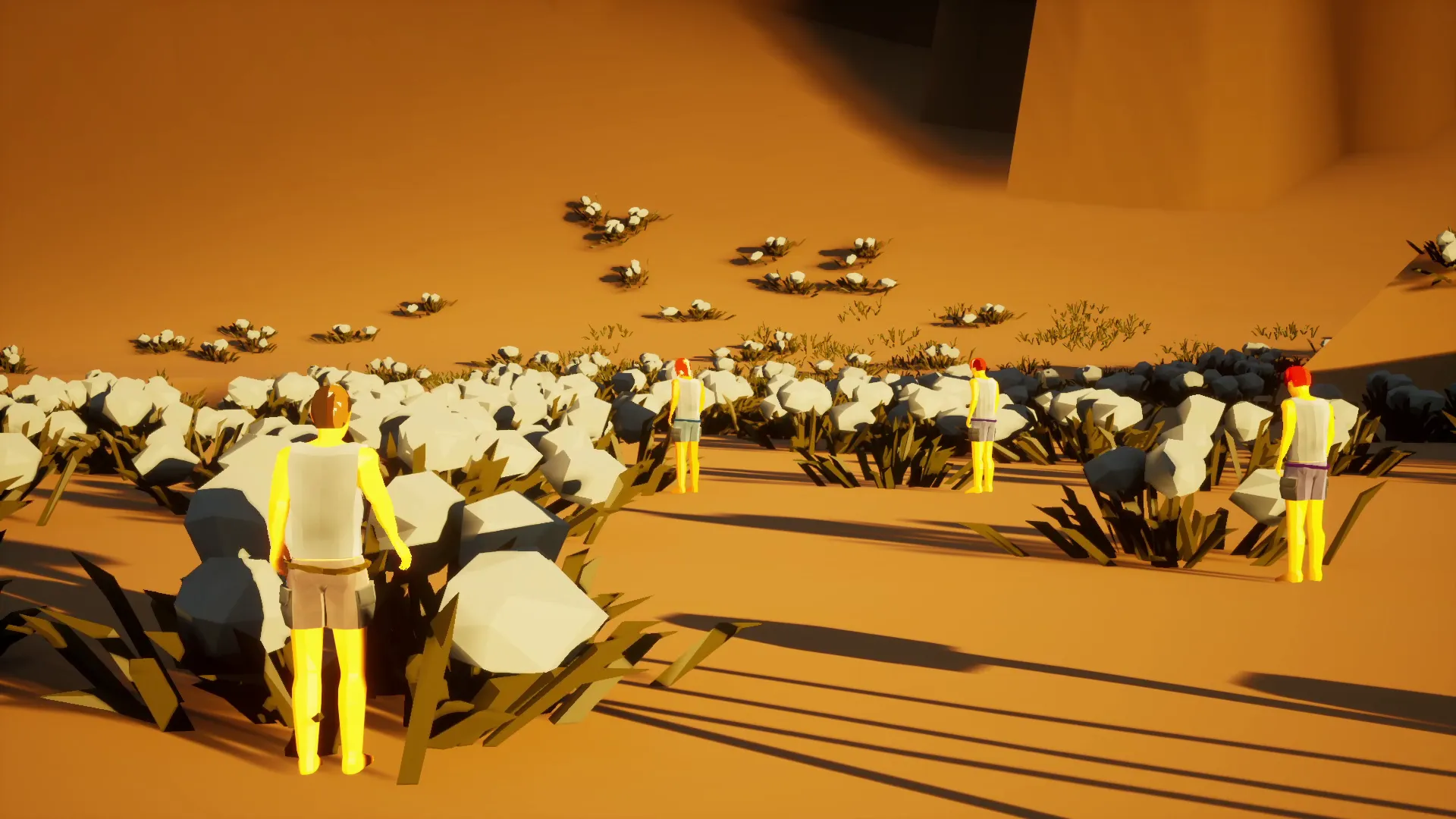
Cotton fields! You go up to a cotton field and hold E to collect some. You do this a few more times and you’ll be able to craft a piece of clothing. Cotton mostly spawns in the desert area. Certain types of collectables regenerate after a while.
Developer commentary: The foliage clusters in the game are dense and plentiful, and you’re able to pick up a single piece with no issue in a large scale multiplayer game. How does that work? If you go and count how many individual foliage pieces you have per cluster, you’ll end up with 64 every time, why? That’s because internally the game uses an extremely compact 64 bit data value to store individual foliage states. This makes foliage clusters easy and cheap to network across all players. To make rendering huge foliage clusters fast, the game uses a special instanced rendering path for the meshes, ensuring high framerates. Last but not least, foliage placement can be optionally generated at playtime, meaning this works great with procedural levels.

Trash piles. Trash is a special type of collectable that spawns around the map when the economy is in the dumps. Collect enough trash and craft Recycled Trash. Recycled Trash goes into the Trash Recycler (big trash can); that way players can earn money by cleaning up and recycling.
The economy gets worse when players are printing money. You can view the economy’s current state on the large billboard in Vegas city.
Cotton Farms
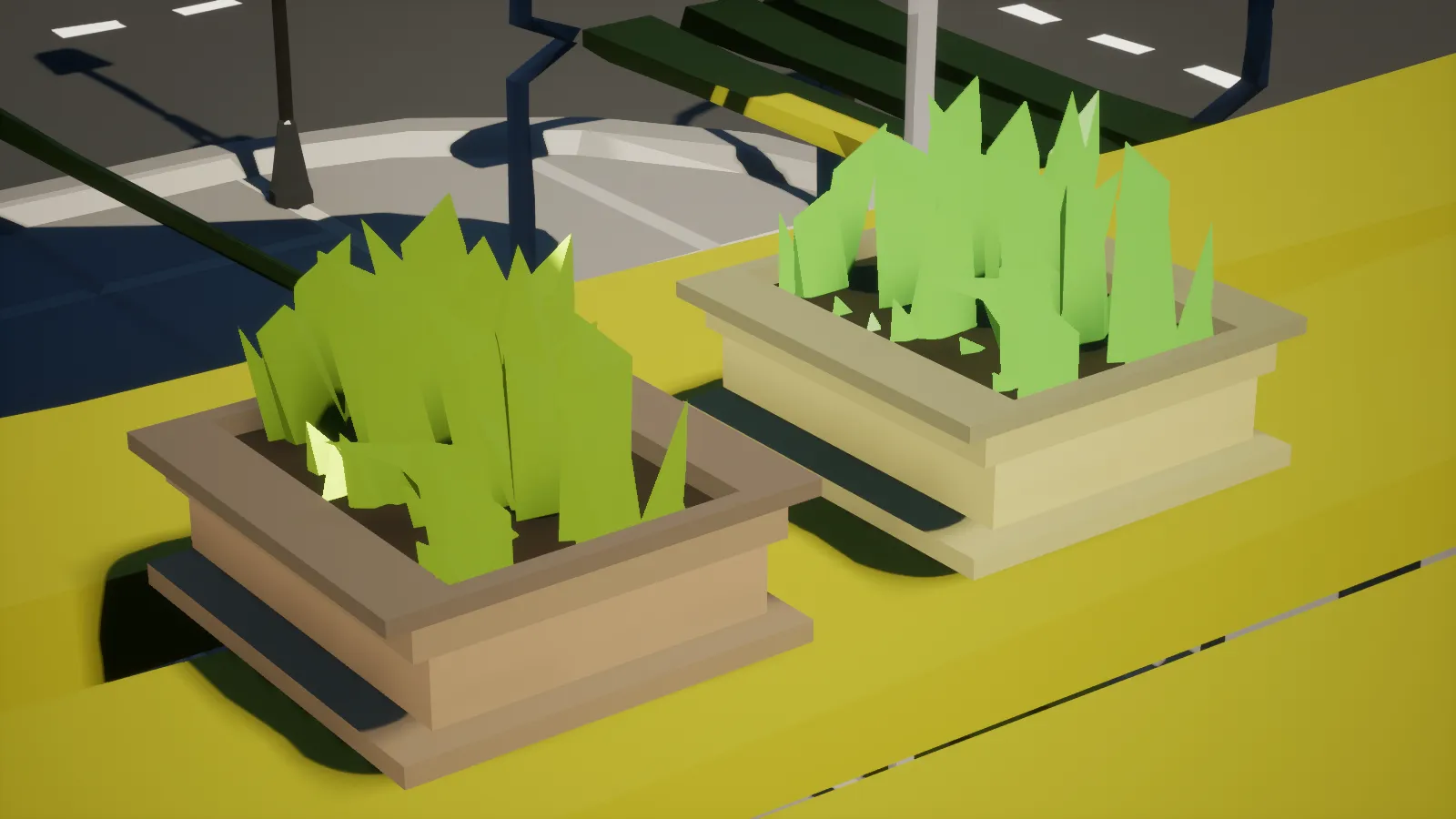
Cotton can be gathered and crafted into a special new item called Cotton Farm. There are 2 tiers of cotton farms, high and low. Cotton Farms are a bit expensive; however, if you need a fair bit of clothing they are very worth it! Plop one down and get farming!
City Bay Area
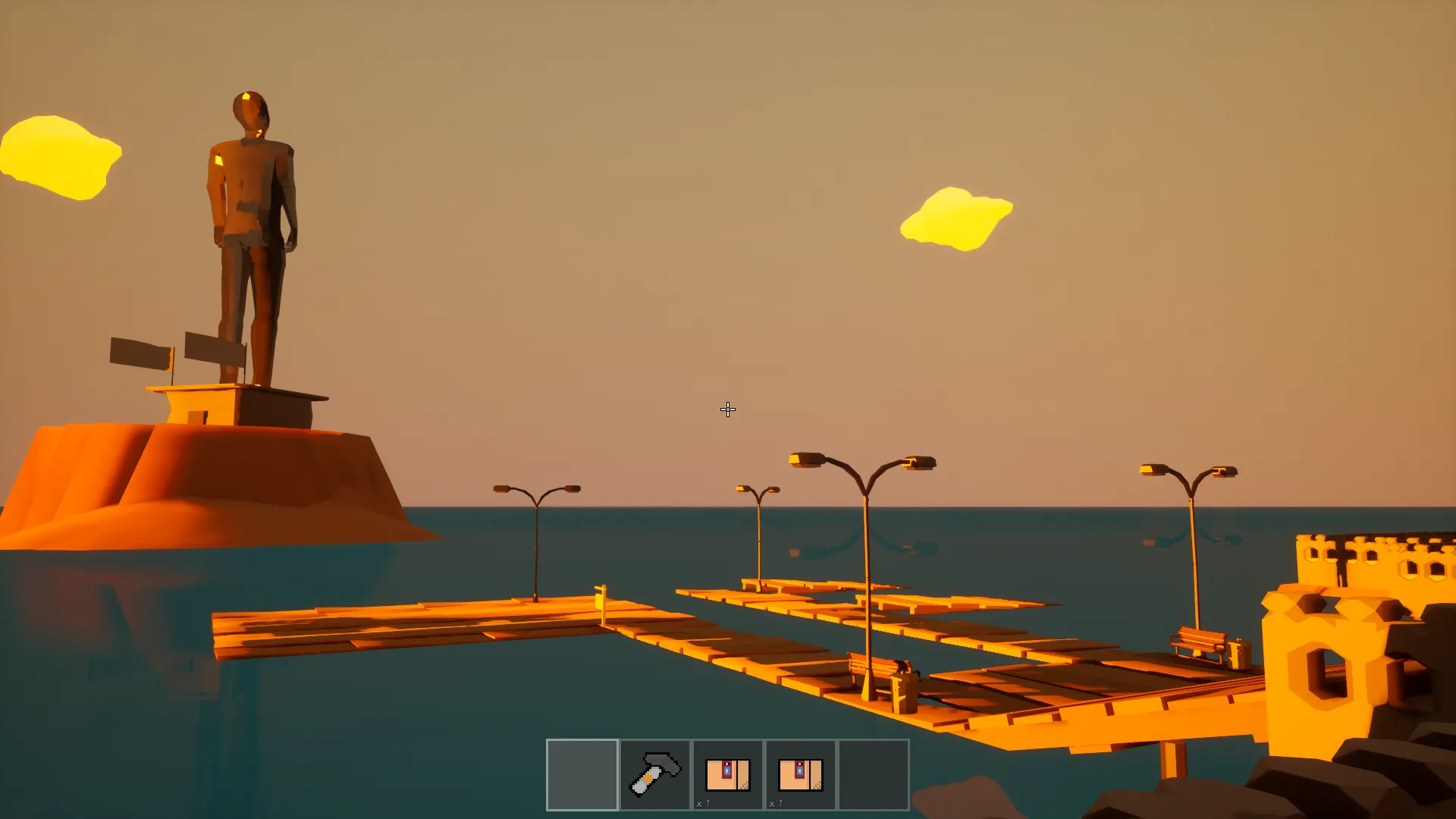
A new area created for base building, with a lot of large Build Lots that can be rented out!
Procedural Player Height and Body Scale
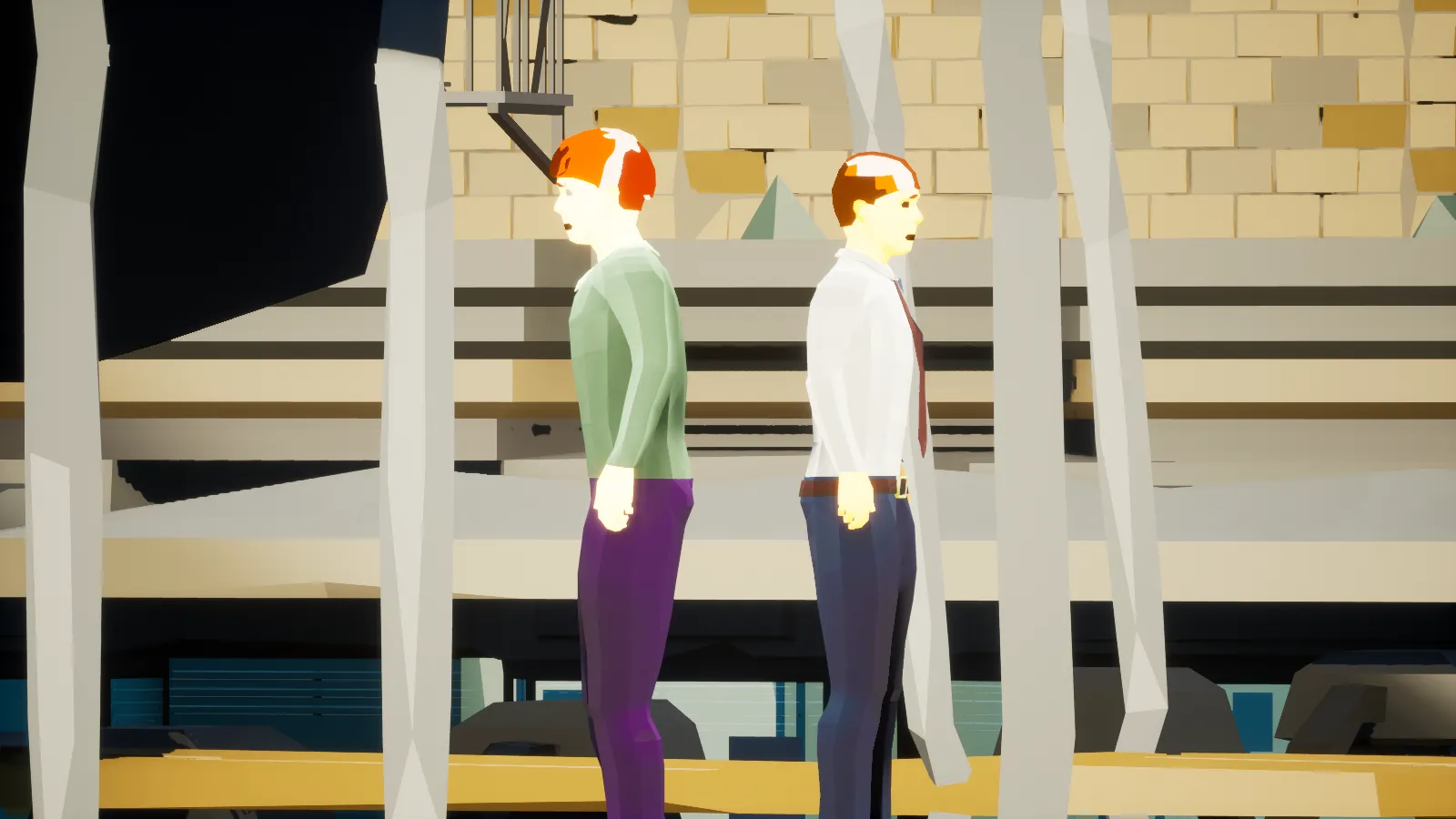
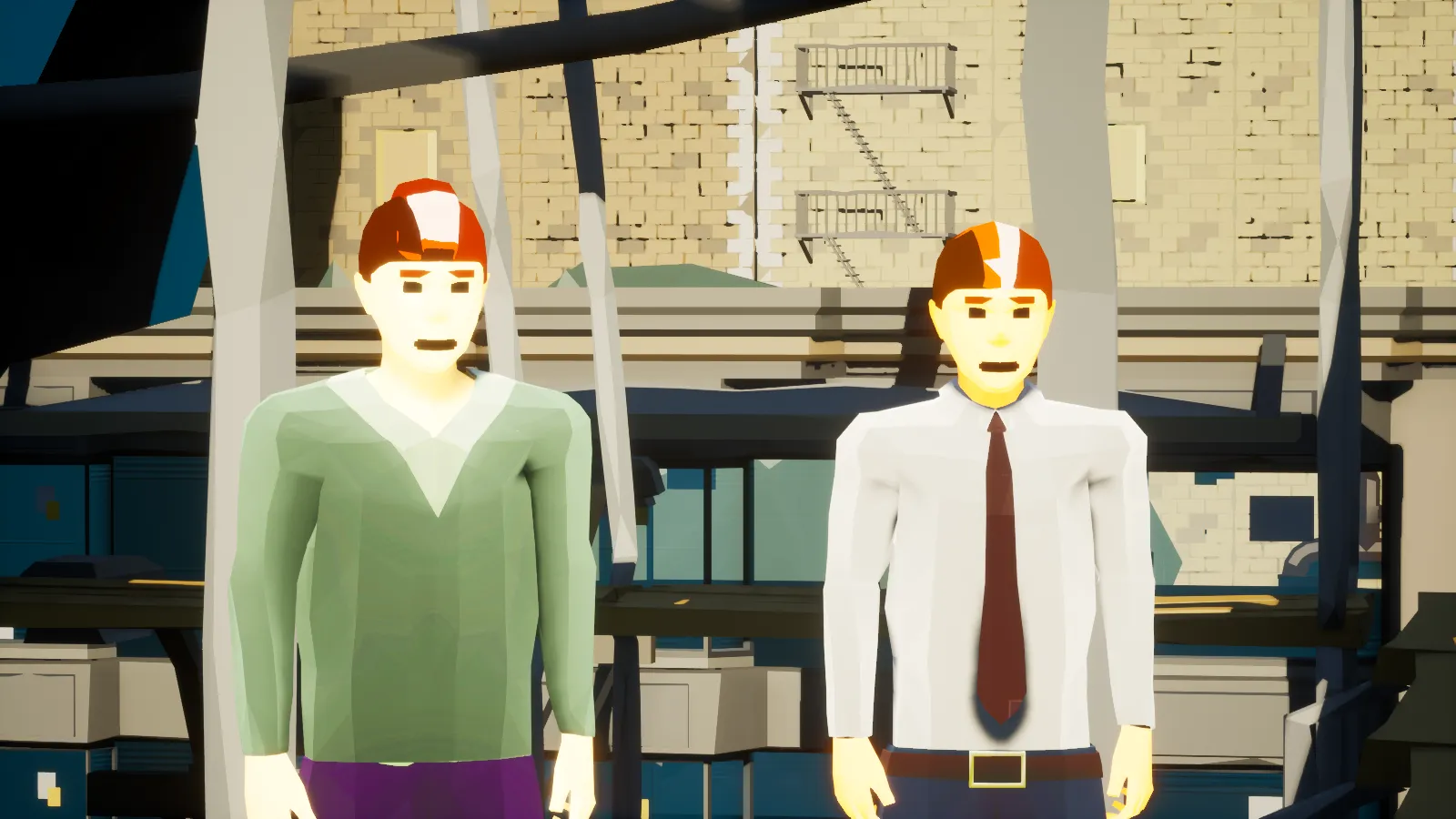
Every single player now has a random height and body size. Some people are significantly taller, some are quite short. This is reflected in first-person as well. Your viewpoint will be shorter/higher depending on your in-game height.
Hybrid Third-Person
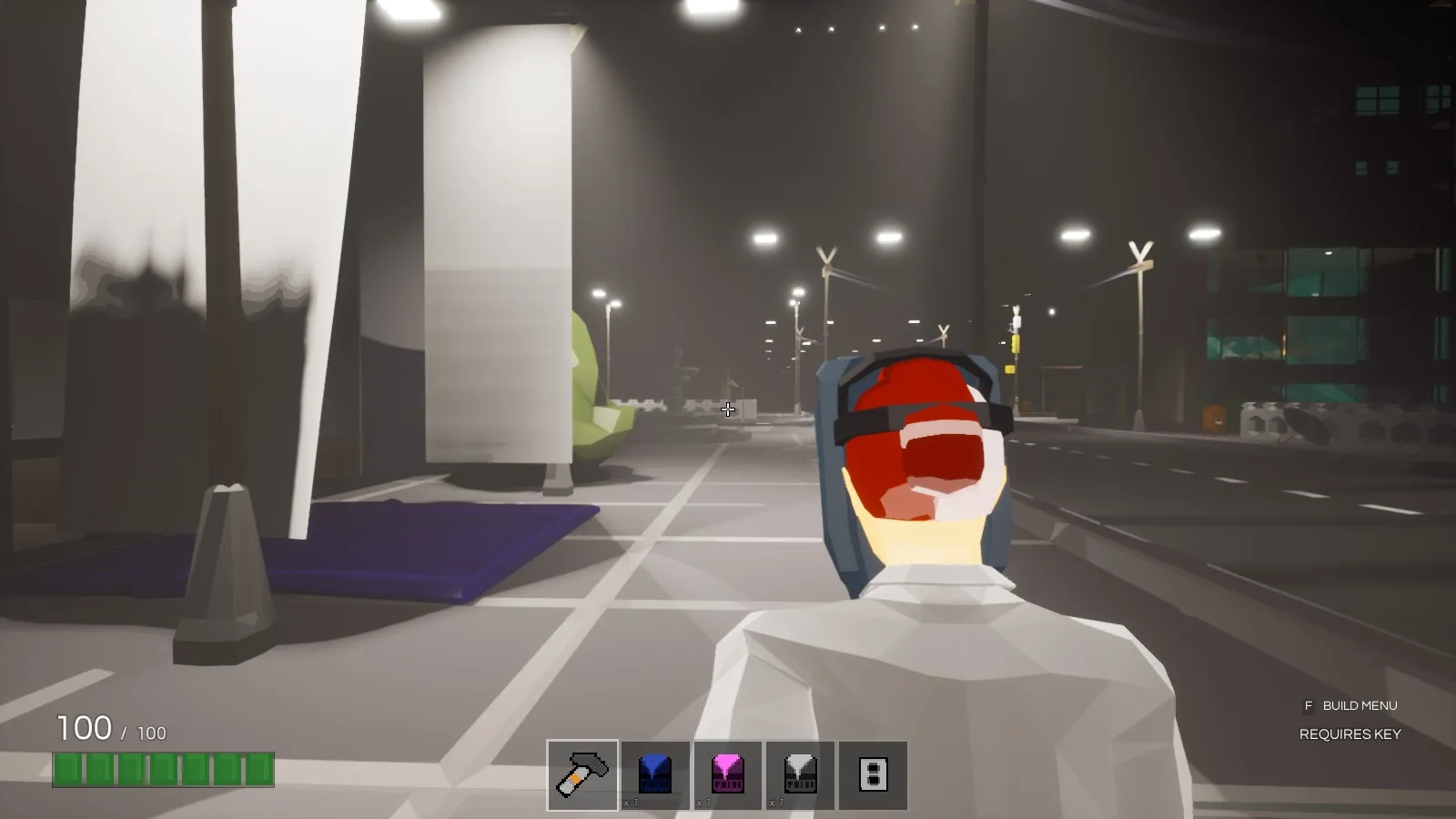
You can now switch between third-person and first-person with F5, which of course can be rebound. You’ll only be able to switch on servers that permit third-person.
Speech to Text
Real time voice transcription using the cutting edge technology developed by Mozilla (now COQUI). This all runs locally on your computer, nothing gets sent out to any kind of third party voice transcriber. As good as it gets! Why STT? This will all make sense soon enough, you have my word. You can disable voice transcription in the Sound settings.
Text to Speech
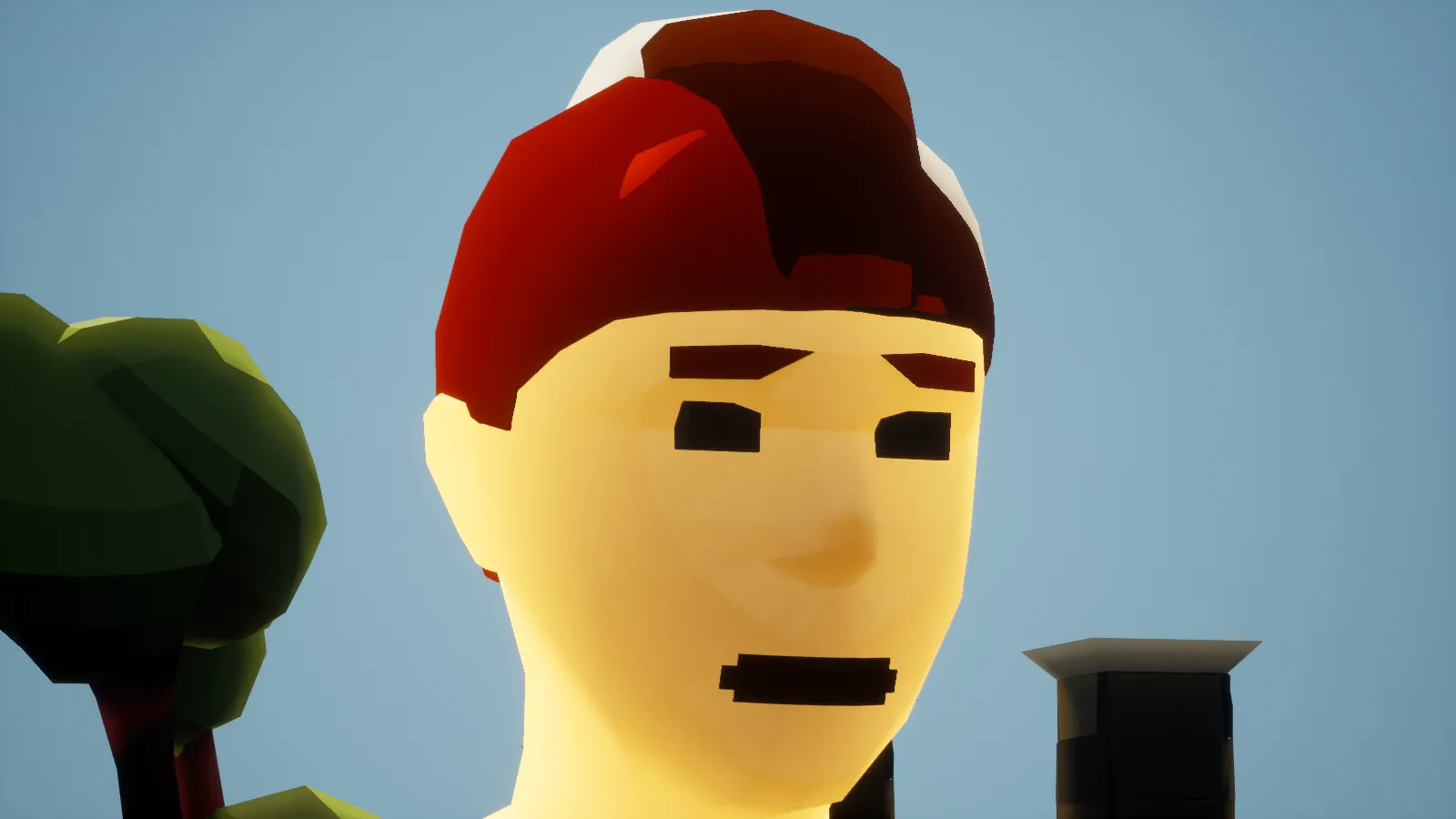
Anything you say in local chat will now be announced to the world as text to speech — comes out your character’s mouth. Each individual player has a unique voice pitch and voice speed. You can disable text to speech in your Sound options. At the time of writing this only works for Windows desktop players.
Stars and Underwater Visibility
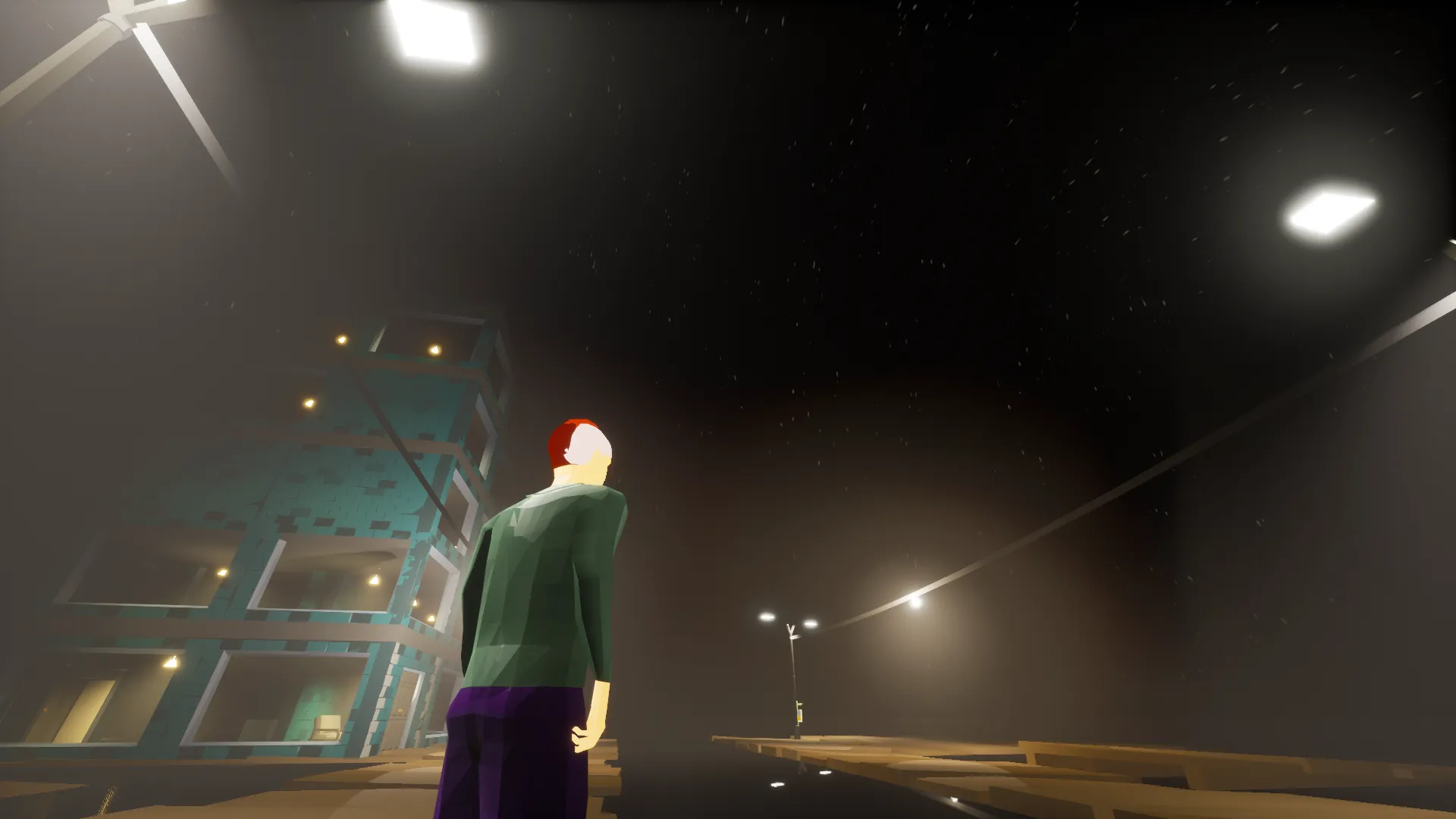
They increase visibility, twinkle, and look pretty.
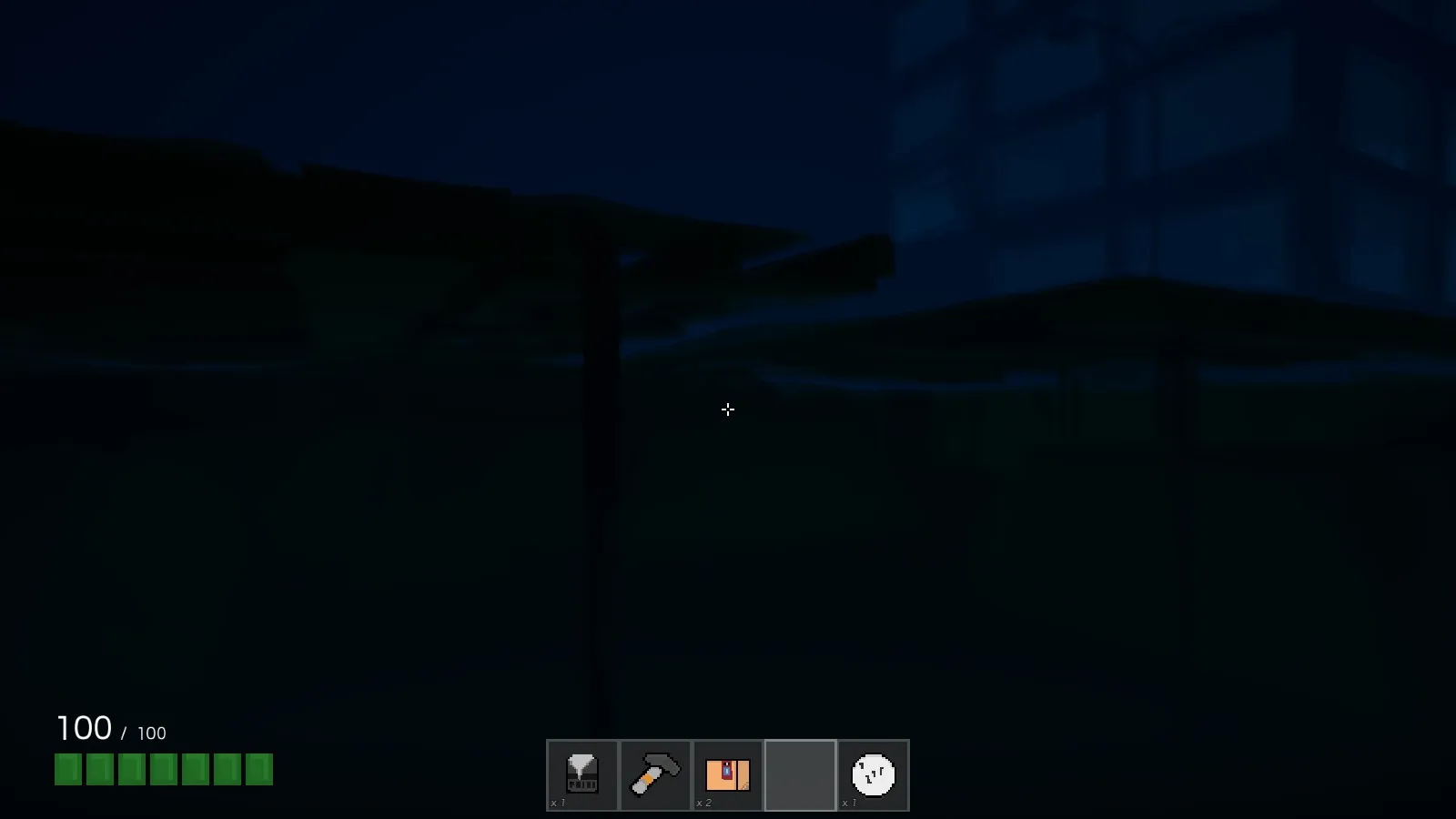
Swimming has always been difficult in BadLads, but practically impossible while it’s dark. That’s changed. When you are underwater, the game’s lighting will automatically adjust to make it clear where you are going no matter what time of day it is.
Optimization Segue
The game has received a massive optimization pass thanks to the initial Procedural and VR work. For example, buildings swap out hundreds of unique static meshes for a larger low-detail static mesh at far-away distances. The settings have been tuned to make it imperceptible if you aren’t looking for it. Internally I’ve coined these as PLODs, standing for Prefabricator LOD. You construct your building and bake out a lower level of detail representation of the whole building with a click of a button. The game automatically streams PLODs in and out. This specific optimization actually halved the frametime in Vegas alone.
Next up, I’ve replaced most instances of the dynamic materials (a single dynamic material is a single drawcall in an unlit scene, per unique mesh). A dynamic material is used to color your hat, light up your vehicle’s lights, change the color of your buildables. That adds up quick, so… The dynamic material instances have been replaced with custom primitive data, meaning no material instances are created. Custom primitive data is a cheap way of getting information to your game’s shaders, unlike dynamic material instances. This way we only pay for the unique meshes in the scene, which actually resulted in a negligible improvement in my testing scenarios. Because of this change, every single material in the game now stems from a single massive uber shader which takes care of everything you’ll ever need. Custom emissive properties with no drawcall cost? Check. Custom colors with no drawcall cost? Check. Custom plane masking with no drawcall cost? Check. This makes adding cool effects a breeze and 0 cost in terms of draw call performance.
Everything Else
- New Money Drop menu - open a menu to drop your cash with F4. Can be rebound in the controls menu.
- New buildable damage animation. A new spring-like animation has been added to buildables when they take damage. This applies to damage done by other players as well, so you’ll notice when someone is trying to damage your buildables.
- New UI hints added. Vehicle and item hints have clear indications of purpose without having to guess what you’re supposed to do.
- New physics lights that are tied to a physics rope, they cast shadows and light. Look extra pretty during the night.
- New ambient environmental sounds near special objects like pipes or water.
- New Construction platforms - there are several construction platforms scattered around the city.
- New Interaction Animation: when a player interacts with any interactive objects, an animation is played.
- New voice transcription toggle in sound options.
- New voice text to speech toggle in sound options.
- New voice input gain to the Sound settings.
- New command-line parameter called
-simplelights. Running the game with this command-line parameter (aka Steam launch argument) would double your framerate, sacrificing detailed shadows nearby. - New tunnel fade effect that hides the skybox if the level is unloaded from a distance.
- New cosmetic fog, different per level.
- New Cosmetic Physics Flags.
- New Cosmetic Cloth scattered around the city’s buildings.
- New game logo.
- Changed: Base wage lowered by 33%.
- Changed: Vehicles now hint at what seat you’re about to get in.
- Changed: Bay Area build lot prices to be more reflective of build lot sizes.
- Changed: Road tiles to be crossing near new bay area traffic lights.
- Changed: Two-handed weapon hold pose in third-person.
- Changed: Certain objects like pipes have a more metallic sheen.
- Changed: Money printers’ max print amounts have been halved.
- Changed: Tooltip menus now have animations.
- Changed: Radial menus now have open and radial move animations.
- Changed: New and more detailed door meshes.
- Changed: Build Tool now has new UI hints.
- Changed: UI key hints are now animated if the key is being pressed down.
- Changed: Old items are automatically wiped if an old save is detected.
- Changed: New light poles, new trashcans, new road barriers, new trees, new sidewalks, new architectural pieces, new parking meter.
- Changed: The player’s camera now sways side to side based on the player’s movement.
- Changed: Added apartment windows.
- Changed: Made fire escapes properly climbable and placed them in a more logical way.
This update has been the largest the game has ever received. Internally there have been over 1000 commits since the last update. Just writing this update summary is intimidating because of the amount of changes you have to go through. I’ve left out any big technical changes as those aren’t relevant in these devblogs. You can find the bug fixes at the bottom of the devblog.
What’s Next?
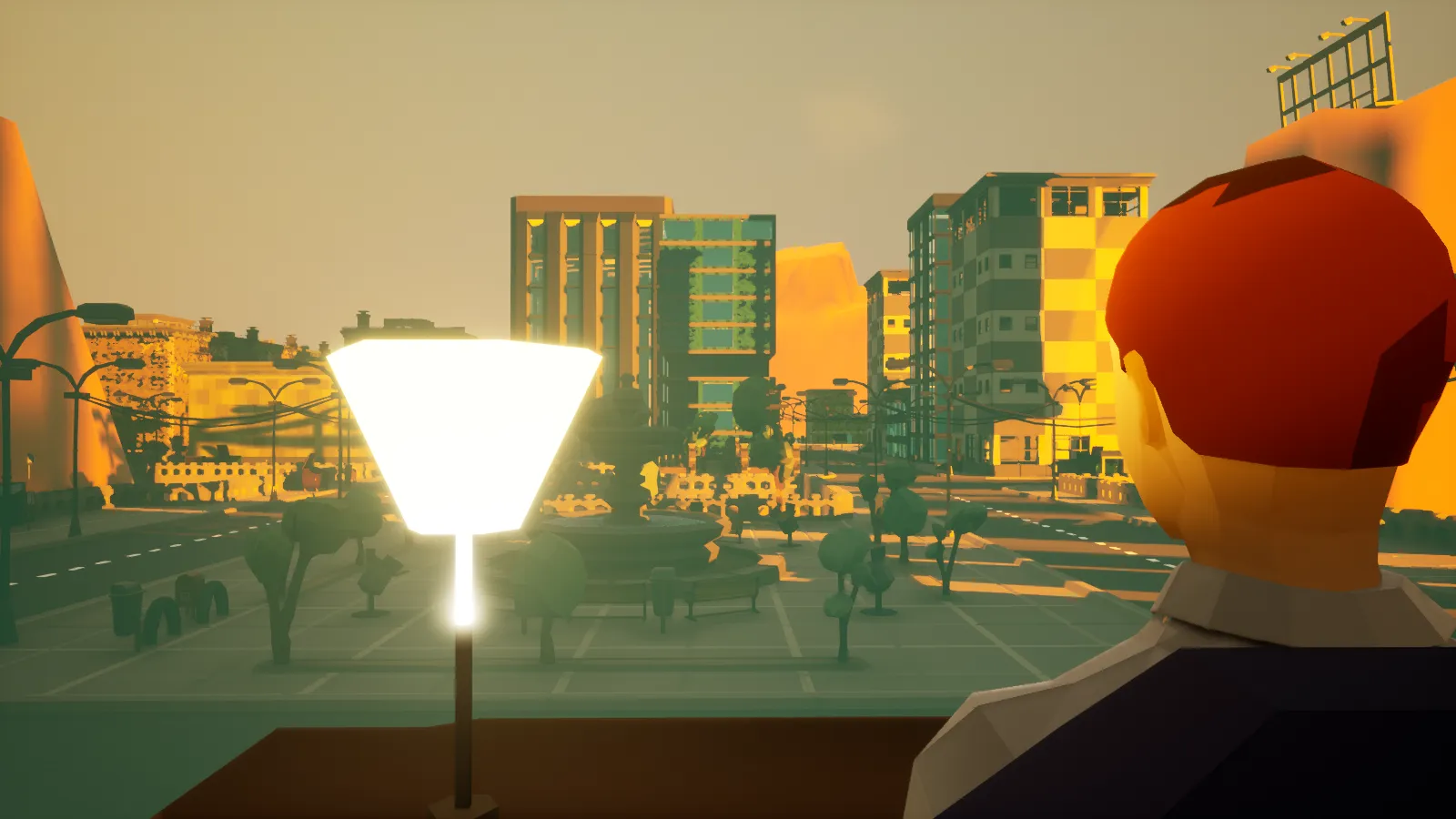
- Custom jobs defined by server owners.
- Custom maps through an in-game tile editor, intended to be distributed through the Steam Workshop.
- NPCs?
A New Gamemode: “City Grow”
The plan is to add a new concept to BadLads called a gamemode. At the moment the current gamemode is roleplay, and that isn’t going away. A new gamemode is currently being developed, called “City Grow”. The idea is simple: you enter into a giant barren landscape, no wages, no predefined jobs. You gather materials like wood/stone/metal and start building your general infrastructure — meaning roads/buildings/power generators. Lights depend on power and so on. You keep expanding your infrastructure until you’ve built a city. Certain areas in the map have precious resources so factions will naturally develop. Let me know what you think in the @PlayBadLads Discord or get in touch with me here: mark.jg@chemicalheads.com
The game’s traditional roleplay isn’t going away. The game will be defined into 2 primary gamemodes: traditional roleplay and City Grow.
Everything after this point was covered in The Update Tease back in December, which is below
A lot of assets are remade in a distinct BadLads visual flavor.
Unique Objects
Most interactive objects now look different depending on where they are, adding visual flair to otherwise repeating gameplay objects.
The game’s internal rendering elements were completely redone from scratch to allow for a single uniform “uber” shader. This is a leap beyond in terms of framerate and artistic capability. It’s a big win internally and performance-wise, giving the game a nice visual boost. It’s also a much-needed change for the ambitious feature below.
New Characters
The game has received a complete player character overhaul — introducing some sweet new features.
Say hello to “Georgie”, I mean Mr. BadLad.
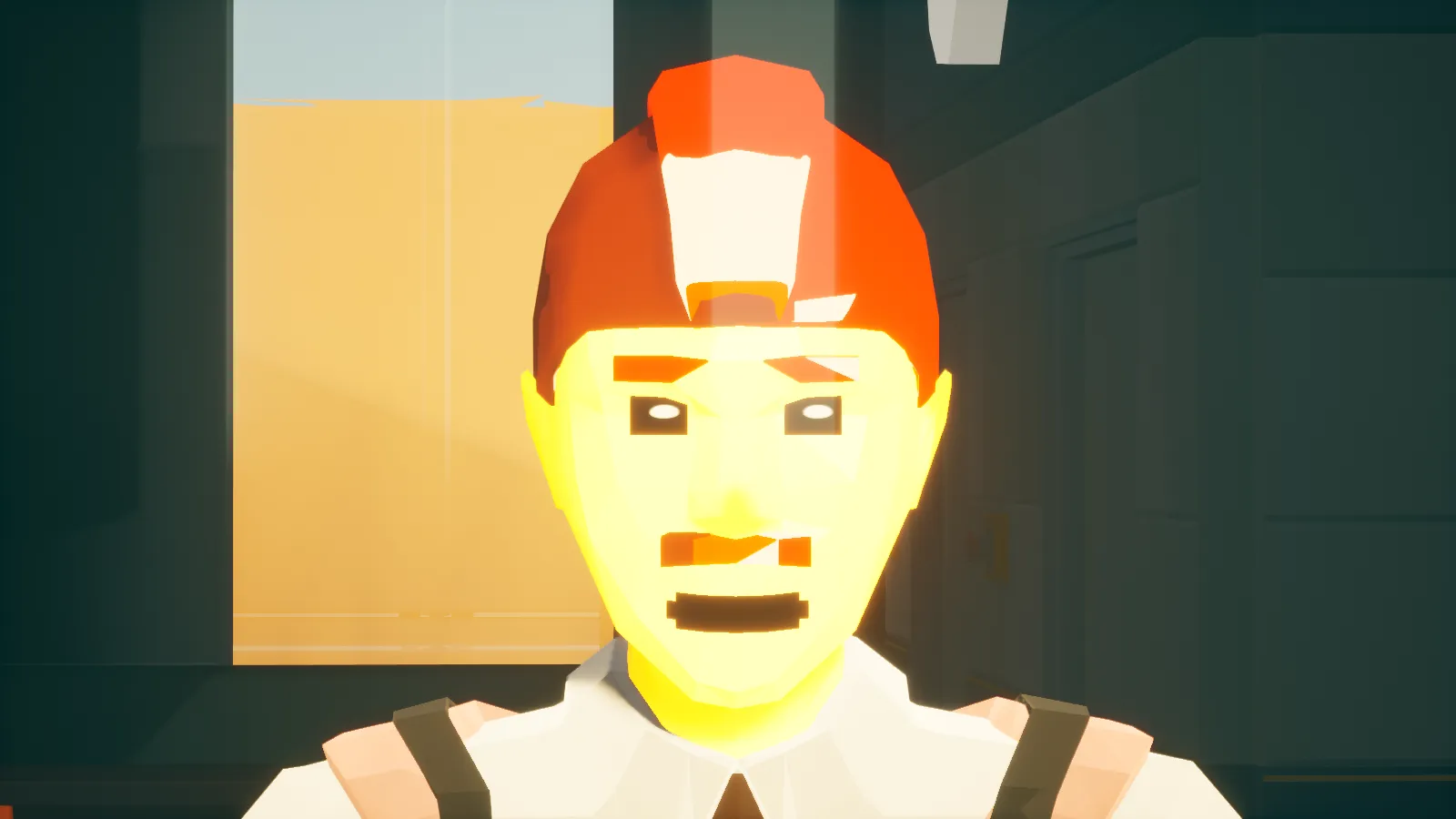
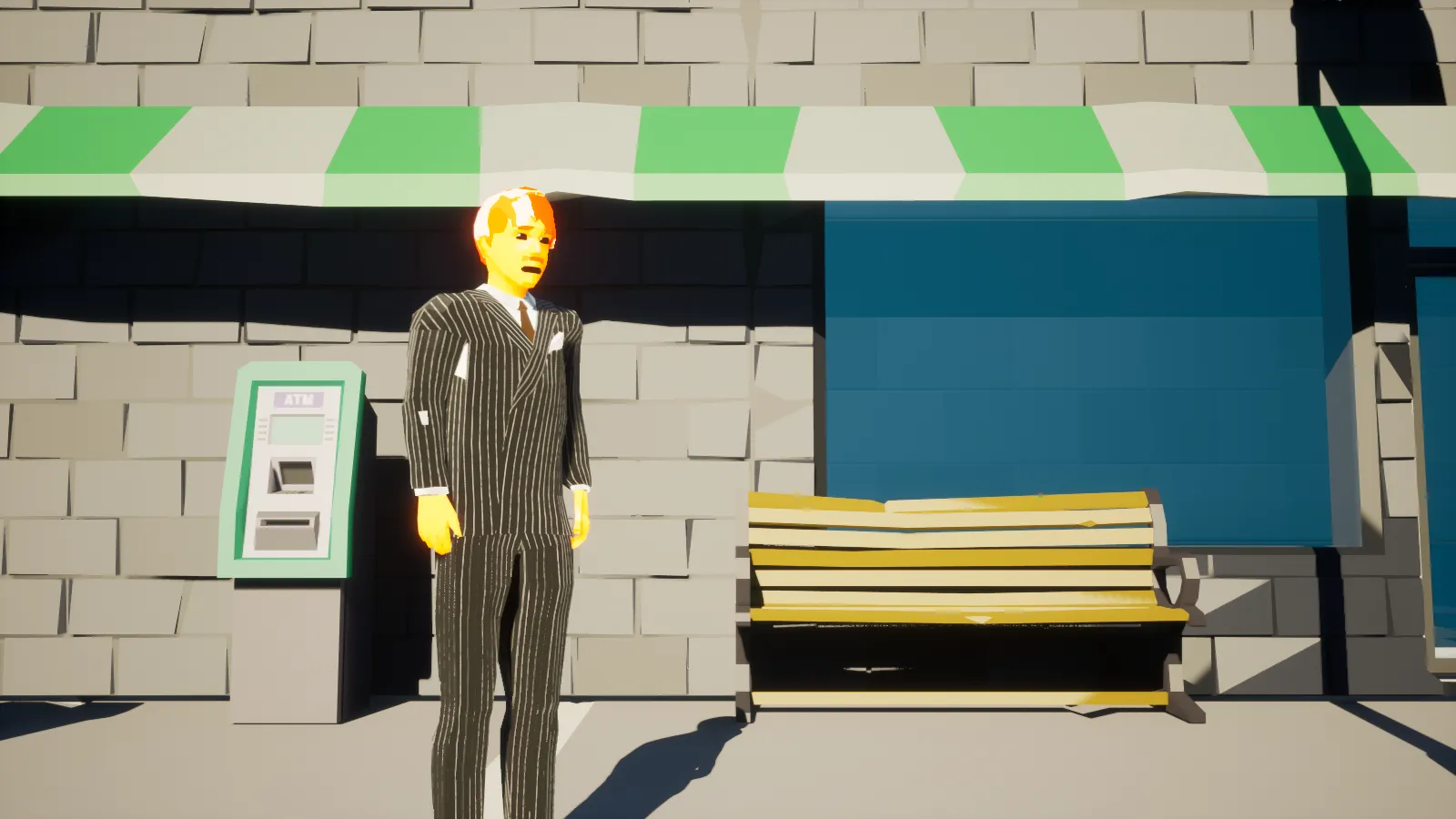
Every single player will have a unique hair variant, ranging from bald to full-on mullet.
The best thing about the new hair is its compatibility with any head wearable in the game.
The hair uses a special plane-based mask to hide away the clipping while wearing hats, meaning the game won’t swap out your hair for a dingy bald cap when you want to show off your flowing hair to the frightened civilians of BadLads. Also not everyone has a mustache.
New Character Clothing
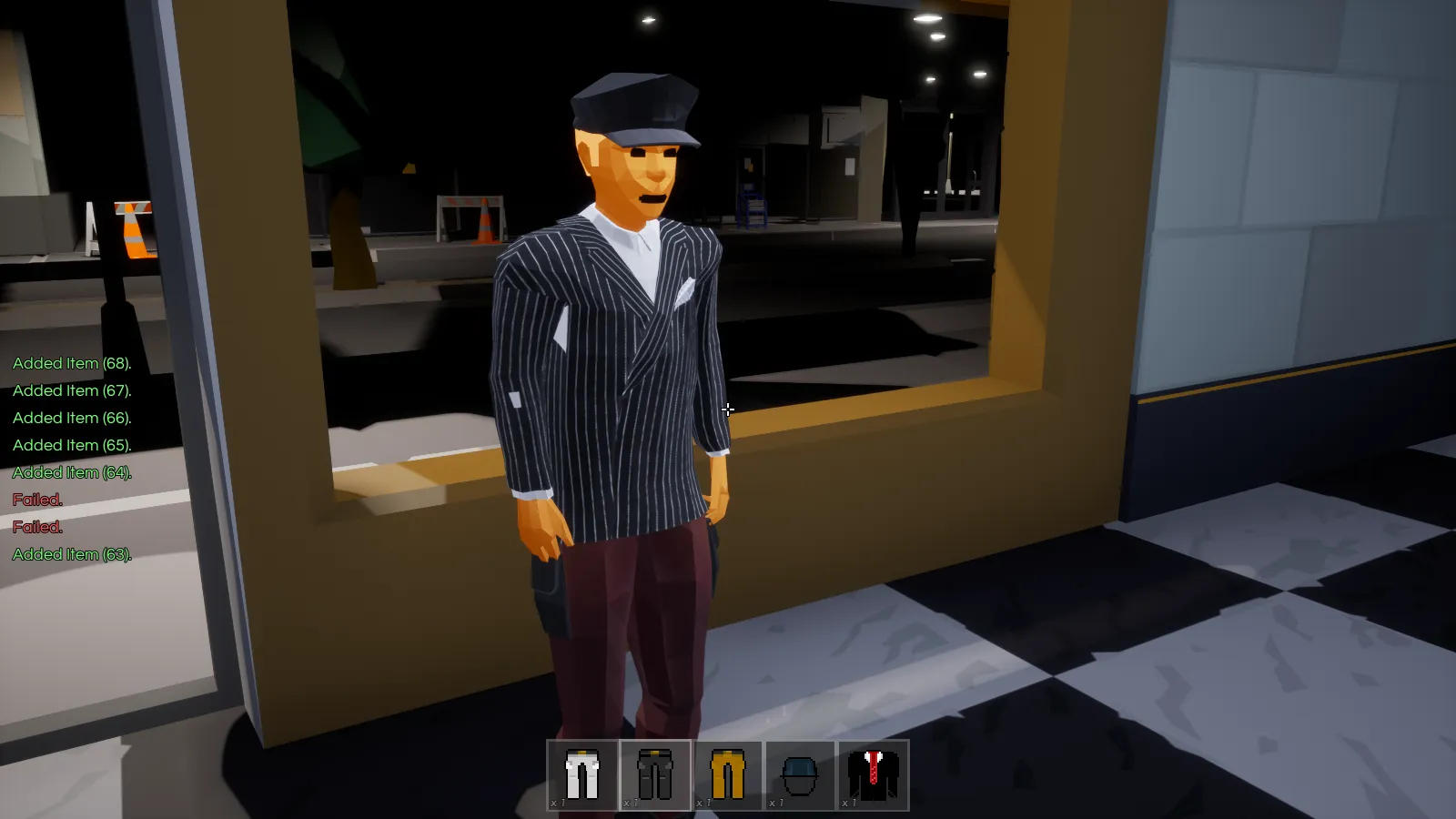
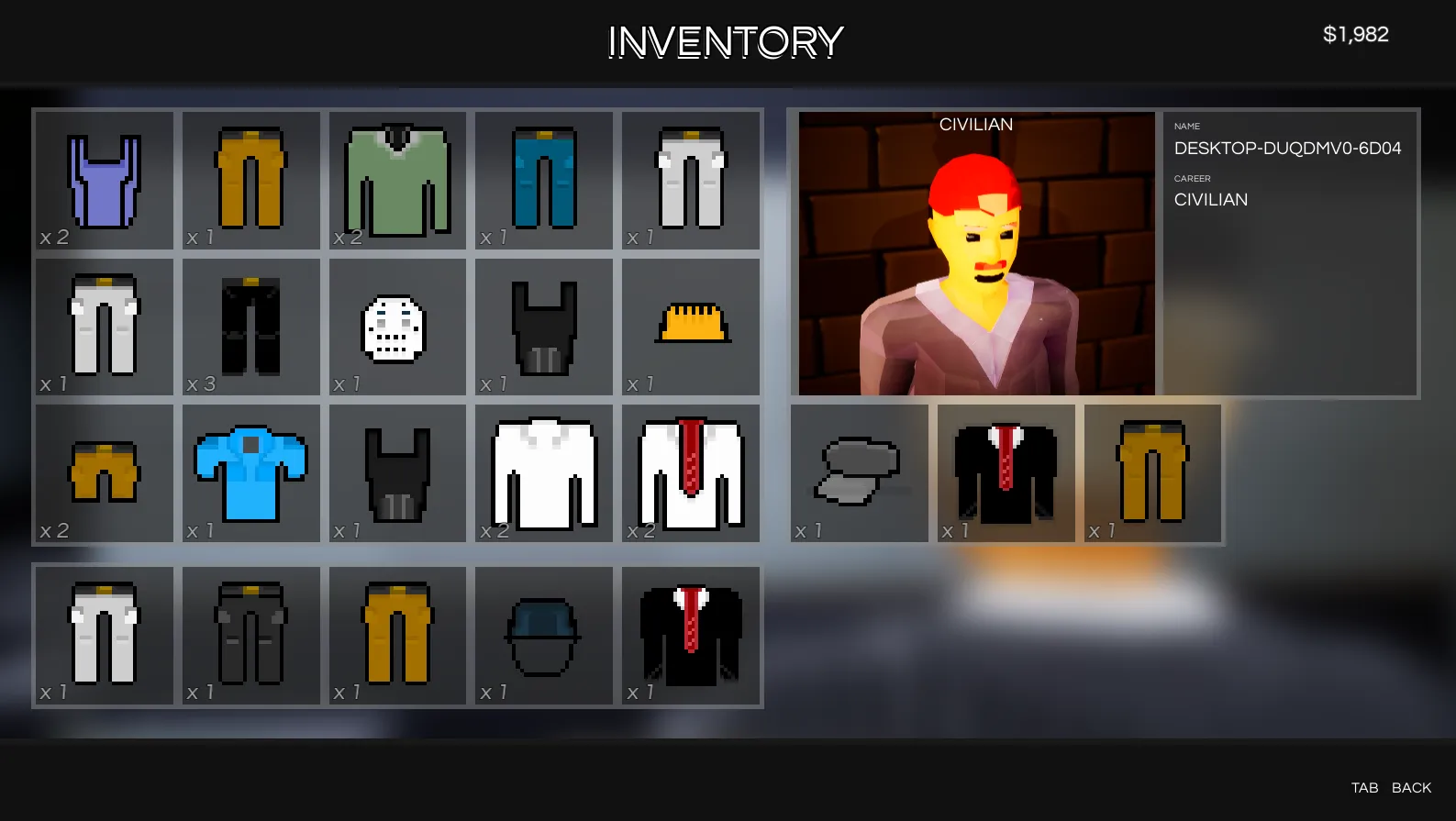
Every single player has 2 new inventory slots called wearable slots. Just like your head wearable, you can now wear a wide variety of different chest and leg wearables.
Mannequin Showcase
One of my favorite things about the clothing is that you can show it off on a new buildable called the Mannequin Showcase.
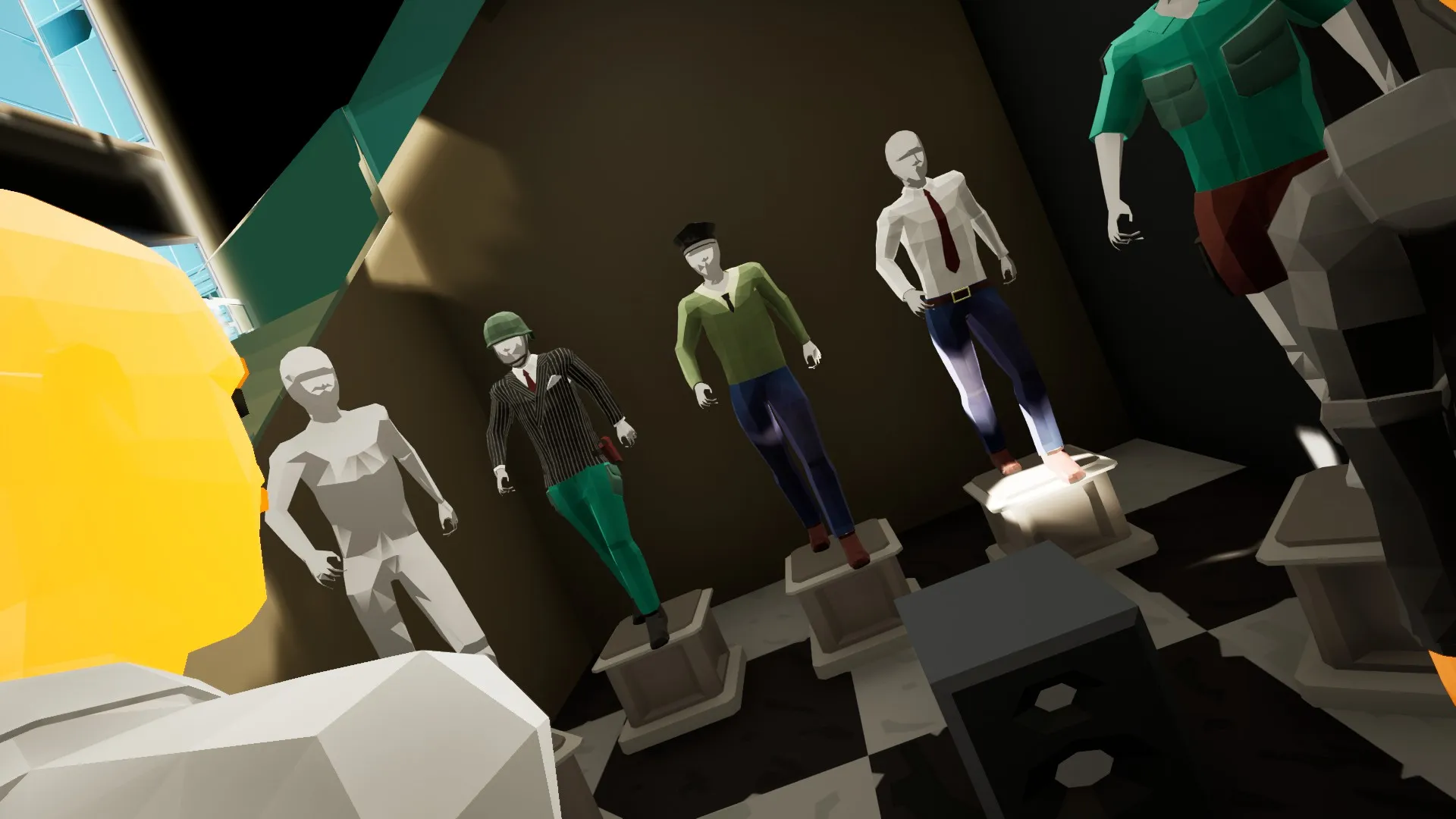
You can create your own clothing store with these.
Things not planned for this update:
- I plan to add the ability to paint clothing on these mannequins, but as of right now that’s on the todo list.
- While the new clothing wearables allow for character customization to a new degree in BadLads, players still want to customize their character even more — like changing the body’s proportions, hair type, skin color. I hear you, and I plan to scrap the procedural SteamID characters and add a full character customizer to the game.
New Character Animations
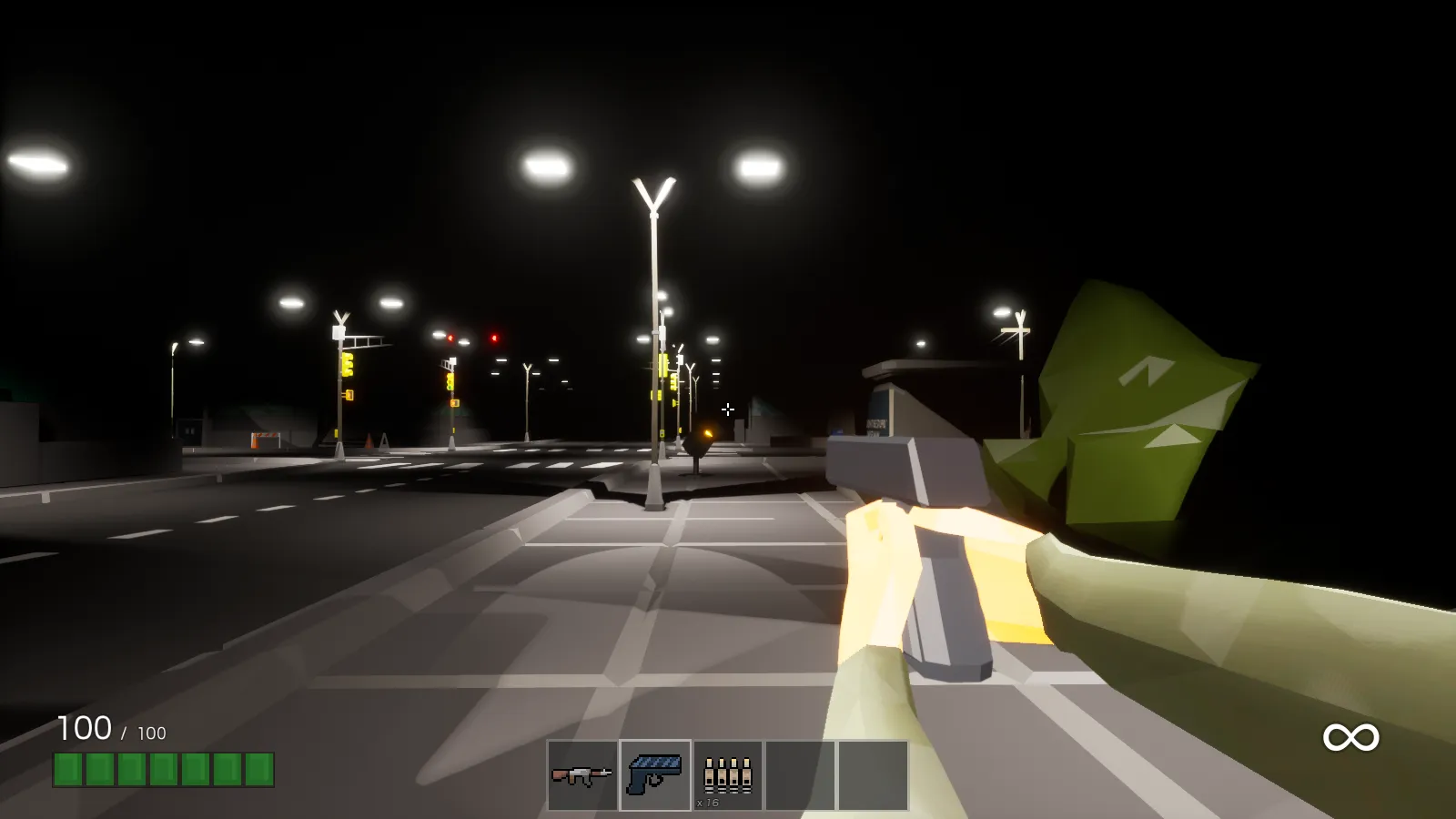
With the character overhaul, the game features brand new reworked animations in third-person and in first-person!
Seats
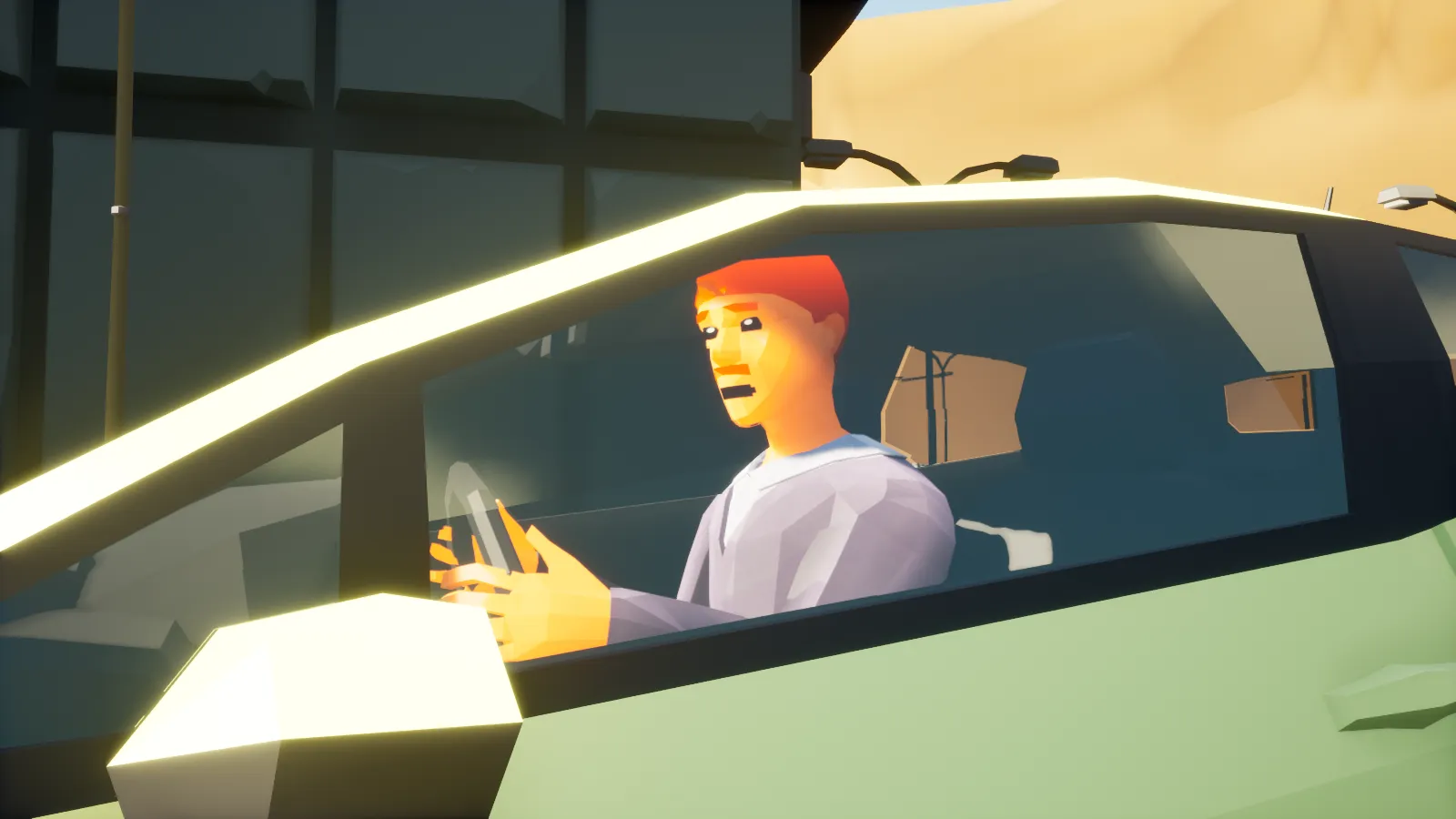
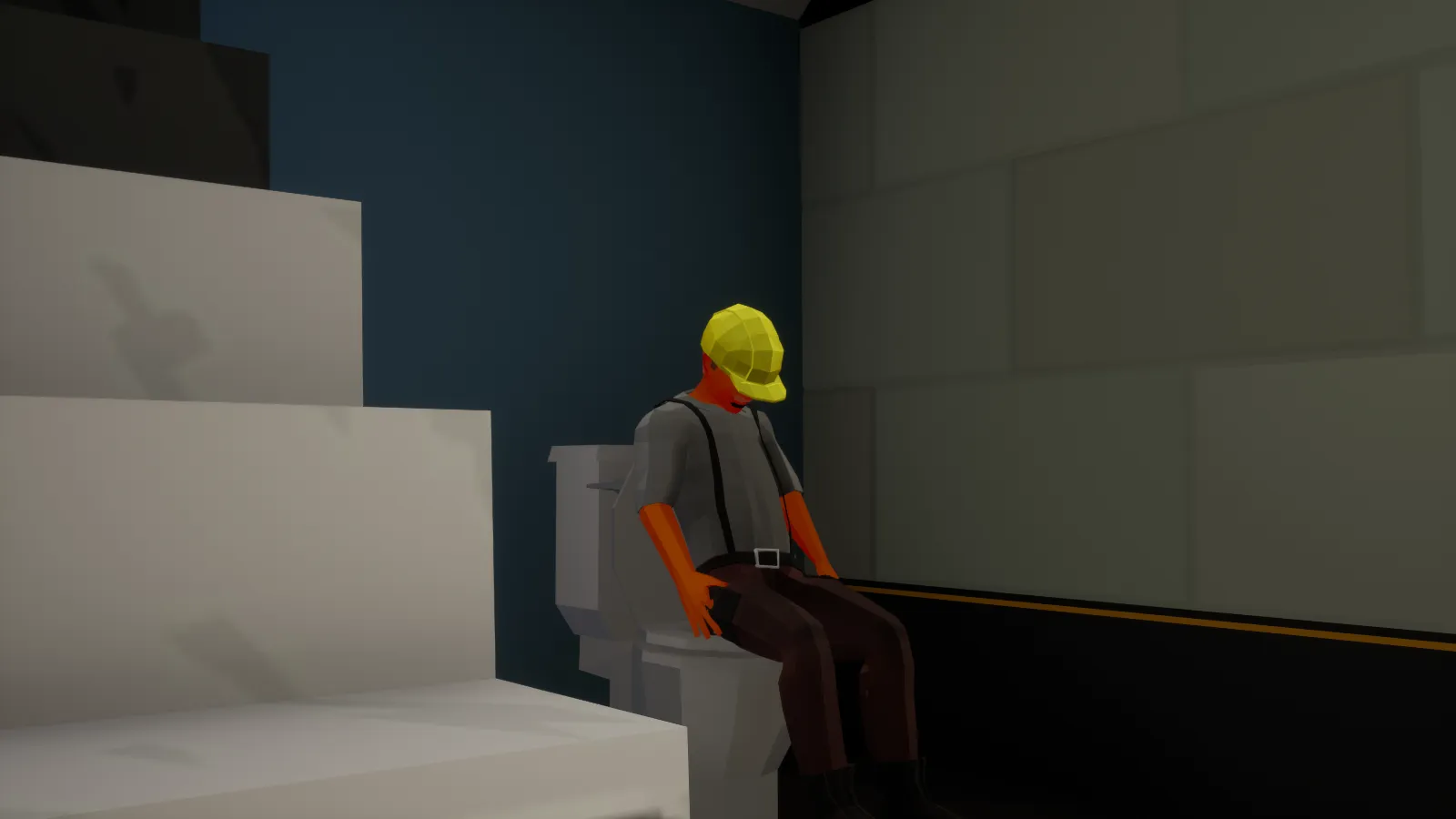
- This is a feature I’ve wanted to add for a long time, so I did. You can sit on every single seat in the game, environmental or buildable — meaning park benches or buildable toilets. These changes come along with completely new character sitting animations.

Third-Person
I prefer games in first-person, that’s just me. Some players really don’t like first-person, especially for roleplay. So I added third-person to the game; the game by default is still first-person. Server owners can come in and flick a switch to make it third-person just on their server.
We’ve (shoutout to Ninjarod!) been testing the game out with third-person for a few months and I have to say it’s grown on me. I might switch over to the third-person camp personally. Don’t worry though, first-person is not going anywhere!
Revised Building
The building experience in the game needed some work, so I revised it. The Build Tool is now an all-in-one; you don’t need Workers to buy you any more buildables. All you really need is the Build Tool and some cash.
The building has a new look and I’ve changed the way alignment/snap turning works to allow for finer placement.
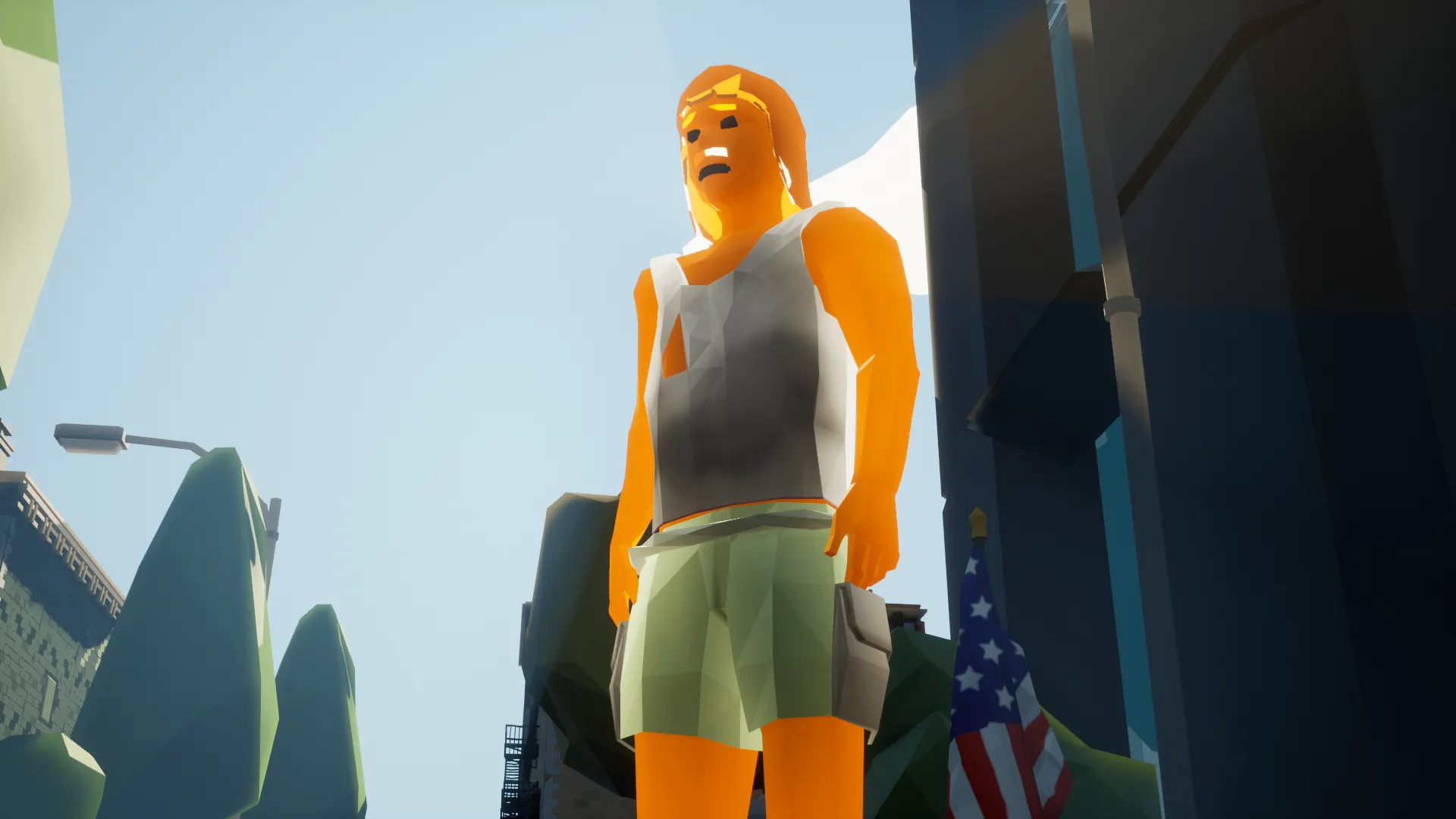
New Job: Hobo
Say hello to the Hobo! He’s a new neutral-type job that can search the garbage cans around the city for trashy treasure!
Other Features
- Steam Audio has been implemented; binaural HRTF audio is default for all players, be it VR or Desktop.
- New single-player testing mode called “Ladmode” has been added.
- New interactive object selection outline.
- Microphone gain options.
- The visuals UI has been overhauled with animations.
- All apartment interiors now have alarms.
- Steam Rich Presence support.
- Network dormancy optimizations.
- Droppable items no longer get stuck in mid-air.
- Game messages like “You have been paid” have a special notification now.
- Added HDR support. The HDR option will only show up if you have an HDR-compatible display and your OS is in HDR mode.
Bug fixes:
- Fixed players being leftover after leaving.
- Fixed players not being able to spawn after a server has been up for n days.
- Fixed crash that occurred sometimes after leaving a server.
- Fixed UI dropping out of focus for seemingly no reason.
- Fixed chat scroll.
- Fixed money falling through containers.
- Fixed invisible item shadows after switching between first-person and third-person.
- Fixed text to speech causing the character’s mouth to stay open.
- Fixed misaligned meshes in the new bay area.
- Fixed cosmetic holes in the new bay area.
- Fixed vehicle cameras breaking in singleplayer ladmode.
- Fixed hair randomly disappearing when crouching or sitting.
- Fixed Drivers not getting paid when a player exits.
- Fixed bay area traffic lights not changing correctly.
- Fixed timed actions being offset when picking up items.
- Fixed first-person item shadows being visible from third-person.
- Fixed wearables disappearing for a small fraction of time when changing items.
- Fixed wearable duplicates on Contractor/Job Giver NPCs.
- Fixed previously fulfilled contracts not disappearing from Available Contract list.
- Fixed passenger UI showing the “Eject” button.
- Fixed text to speech leaving the mouth open indefinitely.
- Fixed Item Gate not working.
- Fixed Buildable Thumbnails not showing up correctly.
- Fixed hitching when opening the build menu for the first time.
- Fixed crash that happened when you swapped the Build Tool too quickly.